

Start from what the form must do, not how it looks.
Choose Jotform first if the form takes money, routes an approval, collects a signature or handles real volume: 1,000 submissions on Bronze, payments and approvals built in, priced per account. Choose Typeform first if the form is the marketing — a lead-gen or application form where the completion rate and the brand impression are the whole point, and the conversational one-question-at-a-time experience earns its premium. The twist this comparison keeps tripping over: Typeform’s entry plan is cheaper per month, and still the worse deal at any real volume — because 100 responses is a hobby number, not a business number.
Jotform vs Typeform: feature-by-feature comparison
The descriptions below are based on vendor pricing pages and independent October 2026 pricing reads. They are not scores or performance claims from our own testing.
| Buyer decision | Jotform | Typeform |
|---|---|---|
| Best starting point | A business form that must do work: payments, approvals, signatures, volume | A lead-gen or brand form where completion rate and design matter most |
| Core model | Full form platform: forms, approvals, e-signatures, apps and AI Agents off one plan | Conversational forms: one question at a time, designed to be finished |
| Entry plan (annual, per month) | Bronze $34: 25 forms, 1,000 submissions, 100 payment submissions | Basic $28: unlimited forms, 100 responses included (max 750) |
| Mid plan (annual, per month) | Silver $39: 50 forms, 2,500 submissions, 250 payment submissions | Plus $56: unlimited forms, 1,000 responses included (max 2,500) |
| Upper plan (annual, per month) | Gold $99: 100 forms, 10,000 submissions, HIPAA features | Business $91: unlimited forms, 10,000 responses included (max 50,000) |
| Free plan | Starter: 5 forms, 100 submissions a month, Jotform branding | Exists, with basic features and a limited number of responses — no exact limits stated |
| Payments | 40+ gateways, capped payment submissions per plan | Payment connections available, but not the headline strength |
| Approvals and signatures | Approvals workflows and e-signatures built in | Not the core pitch — forms and data capture first |
| AI | AI Agents answer respondents by chat or voice, metered separately | AI builds forms from a prompt; conversational logic claims 3.5x more data |
| Branding removal | From Bronze (all paid plans) | From Plus (not on Basic) |
| The honest split | Wins on submissions per dollar, payments, approvals and breadth | Wins on conversational experience, design polish and completion |
The two models, side by side
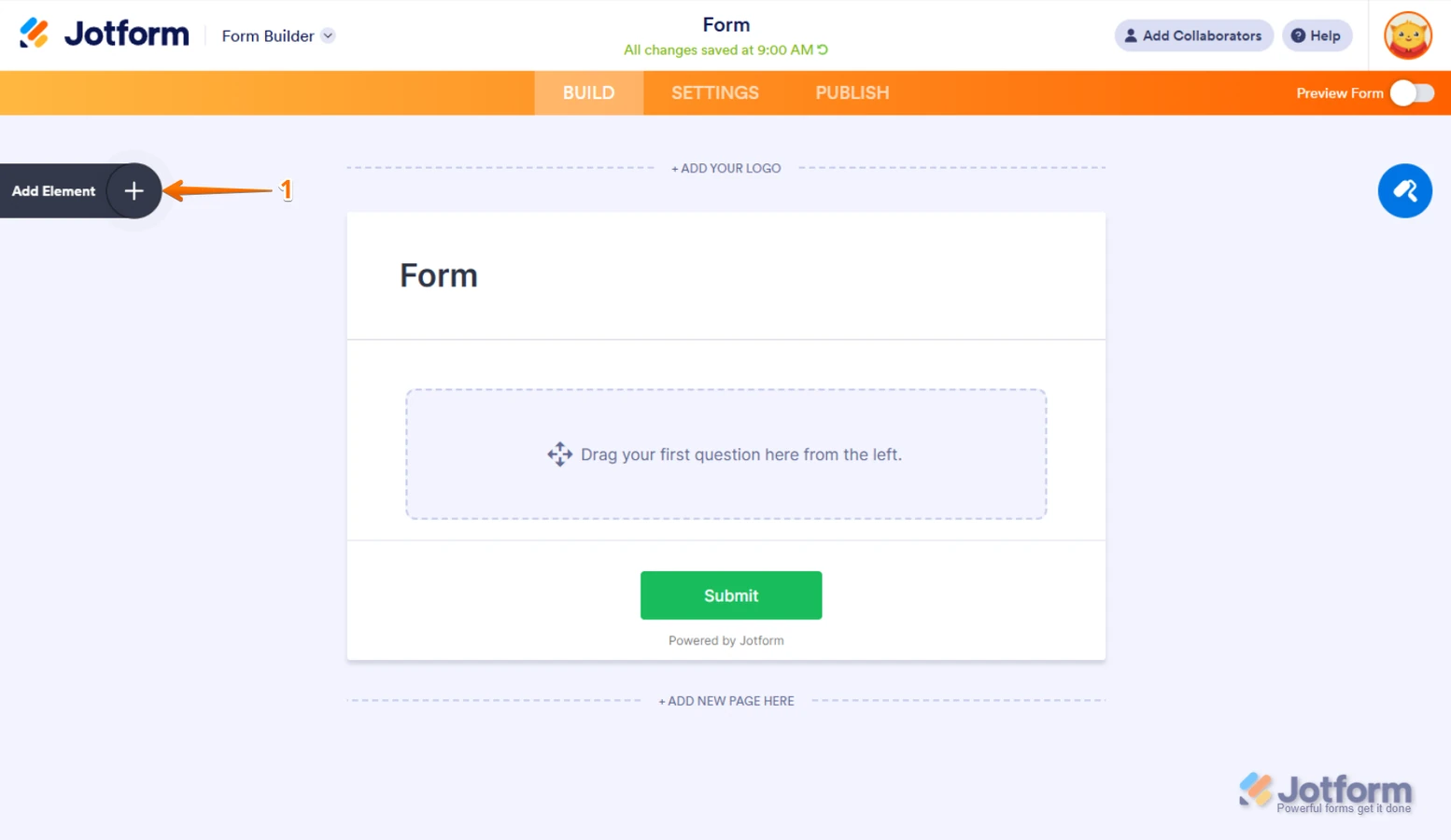
Everything else in this comparison follows from one design choice. Jotform is a full form platform: the form is the front door to payments, approvals, signatures, apps and AI Agents, all off one account. Typeform is a conversational experience: one question at a time, adaptive logic, designed so respondents finish instead of abandoning halfway. Jotform is more platform; Typeform is more experience — and experience is a compliment when the form is how a stranger meets your business for the first time.
The volume maths is the whole comparison
Both tools advertise an entry price and ration responses, but the ration is very different. Jotform Bronze at $34 a month on annual billing includes 1,000 submissions. Typeform Basic at $28 a month on annual billing includes 100 responses, with a hard maximum of 750 a month. A business form taking 1,000 submissions a month needs Jotform Bronze at $34 — or Typeform Plus at $56 a month on annual billing, which includes 1,000 responses. At that volume Jotform is $22 a month cheaper, and the gap only widens as volume grows: Jotform Silver at $39 covers 2,500 submissions, while Typeform at that volume is already on Business at $91.
There is a second trap hiding inside the first. Typeform’s headline prices look close to Jotform’s, but the response caps convert a cheap plan into an expensive one the moment a form gets popular. A lead-gen form that works — the kind you want — blows through 100 responses fast. Anyone comparing these two on the entry price alone is comparing the wrong number: the price at your volume is the price you actually live with.
Payments, approvals and signatures: Jotform’s home ground
Workflow is where Jotform quietly earns its case. Payments across 40+ gateways with per-plan caps, approvals that route a submission through a sign-off chain, and e-signatures inside the same submission mean a booking, order or application can start and finish in one place. Typeform connects payments and integrations too, but workflow is not its headline — forms and data capture are. For a form that only collects answers, that difference is worth nothing. For a form that must take money or a signature, it can be worth more than the monthly price gap.
AI tells a similar story from opposite directions. Jotform AI Agents answer the respondent’s questions by chat or voice on the form itself, metered separately from submissions. Typeform AI builds the form from a prompt and leans on conversational logic — Typeform claims its format collects 3.5x more data. Agents serve the person filling the form; Typeform AI serves the person building it. Both are real; neither is the other.
Design and completion: Typeform’s home ground
Typeform’s case is the experience: one question at a time, adaptive logic, 3,000+ templates, and a polish that makes a form feel like part of the brand rather than paperwork. Its own claim — forms proven to get 3.5x more data — is a marketing claim, not a measured result, but the direction is honest: conversational forms get finished more often than long scrolling ones. Jotform forms can look good, with thousands of templates and full customisation, but the default Jotform form looks like a form. The default Typeform form looks like a conversation.
Branding removal marks the same split. Jotform removes its branding on every paid plan from Bronze. Typeform keeps its branding until Plus. A business that cares what the form says about it pays $56 a month on Typeform for a clean form, or $34 on Jotform — and that $22 gap is the price of Typeform’s design polish.
Jotform vs Typeform pricing: shapes, not just numbers
All prices below are US dollars, checked against vendor pricing pages and independent October 2026 pricing reads on 26 October 2026. Prices vary by country and change over time, so verify the figures shown at checkout before committing.
Jotform: Starter free (5 forms, 100 submissions a month, Jotform branding); Bronze $34 a month on annual billing, $39 month to month (25 forms, 1,000 submissions, 100 payment submissions); Silver $39 annual, $49 monthly (50 forms, 2,500 submissions, 250 payment submissions); Gold $99 annual, $129 monthly (100 forms, 10,000 submissions, 1,000 payment submissions, HIPAA features); Enterprise custom (unlimited, multi-user). All plans except Enterprise are single-user accounts.
Typeform: Basic $28 a month on annual billing, $39 month to month (unlimited forms, 100 responses included, maximum 750); Plus $56 annual, $79 monthly (1,000 responses included, maximum 2,500, branding removal, custom subdomain); Business $91 annual, $129 monthly (10,000 responses included, maximum 50,000, drop-off rates, conversion tracking, priority support); Growth Flow $266 annual, $379 monthly after a 14-day trial (10,000 responses included, enrichments, Smart Insights, Salesforce integration); Enterprise custom (limitless responses, SSO, HIPAA, dedicated support). A free plan exists, but Typeform’s pricing page states no exact limits for it.
Worked cost note: 1,000 submissions a month
Jotform Bronze on annual billing: $34 a month, and 1,000 submissions are included. Typeform Plus on annual billing: $56 a month, and 1,000 responses are included. That $22-a-month gap — $264 a year — is the honest Jotform number to compare, and it is the reason this page keeps saying the same thing: Jotform is a volume and workflow purchase, not a design purchase. Anyone whose form lives or dies on completion rate should take Typeform and pay the difference gladly.
Who should pick which
Jotform deserves a serious test for…
- A business form that takes money, a booking deposit or an order — payments built in with per-plan caps.
- A form that routes an approval or collects a signature: the workflow finishes inside Jotform.
- A busy form: 1,000 submissions on Bronze beats every Typeform plan under Business on volume per dollar.
- A team replacing a patchwork — free form, payment link, email inbox — with one workflow.
Typeform deserves a serious test for…
- A lead-gen or application form where completion rate is the whole point and the form is the brand.
- A business that wants the conversational one-question-at-a-time experience respondents actually finish.
- A low-volume form where 100 responses a month is plenty and the $28 entry price is the cheapest start.
- A team already living in the marketing stack Typeform integrates with, from HubSpot to Salesforce.
By form type, in short: bookings, orders, applications and approvals start on Jotform; lead-gen, brand and research forms start on Typeform; and any form taking more than a few hundred responses a month should be priced at its real volume before either is chosen.
Frequently asked questions
Which is cheaper, Jotform or Typeform?
It depends on the volume. Typeform's entry paid plan is cheaper per month on annual billing — Basic at $28 a month against Jotform Bronze at $34 — but it includes only 100 responses a month against Bronze's 1,000 submissions. At 1,000 submissions a month, Jotform Bronze at $34 beats Typeform Plus at $56 on annual billing. Compare the price at your volume, not the headline price.
Which is better for a small business?
Jotform, for most small businesses. Payments, approvals, e-signatures, file uploads and 1,000 submissions on the entry paid plan cover the jobs a business form actually does. Typeform wins when the form itself is the marketing — a lead-gen form where completion rate and brand experience matter more than volume.
Does Typeform have a free plan?
Yes, but its pricing page states no exact limits for it — only basic features with a limited number of responses per month. Jotform's free plan is spelled out: 5 forms and 100 submissions a month with Jotform branding. If the free tier matters to the decision, Jotform's is the one you can plan around.
Can Jotform take payments?
Yes, on every plan within its caps: 10 payment submissions a month on free, 100 on Bronze, 250 on Silver and 1,000 on Gold, across 40+ gateways. Typeform also connects payments, but payments are not its headline strength — Jotform's approvals, signatures and payment caps are built for order and booking forms.
Which has better AI?
Different AI. Jotform AI Agents answer respondent questions by chat or voice on the form itself, metered separately from submissions. Typeform AI builds the form from a prompt and leans on conversational logic to lift completion — Typeform claims 3.5x more data from its conversational format. Agents serve the respondent; Typeform AI serves the form builder.
Can I switch later if I choose wrong?
Yes. Both are month-to-month or annual subscriptions with no lock-in beyond the term, and forms rebuild quickly — the questions are the same, only the tool changes. Export responses before cancelling, and rebuild approvals or payment connections by hand, since those do not migrate automatically.
Sources and editorial methodology
Reviewed 26 October 2026. This is an independent, source-led comparison — not a hands-on software test, not a measured ranking and not a claim that a feature works in every plan or region. Features and prices change; verify your own account and contract. Jotform and Typeform figures are shown for the US edition; prices and offers vary by country.
Related: Jotform review and all comparisons.