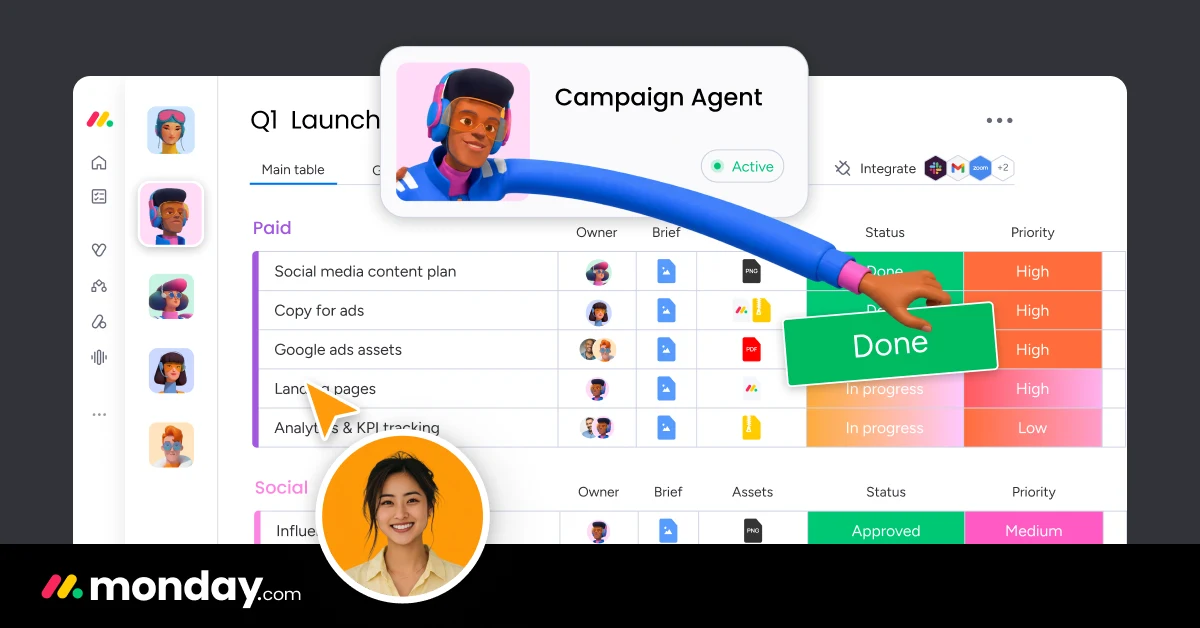
Start from the shape of your work, not the logo.
Choose Monday first if your team runs a mix of work that refuses to look like projects — pipelines, intake requests, content calendars, hiring tracks and status boards — and you want one visual system for all of it, with dashboards that span boards. Choose Asana first if your work already looks like projects made of tasks: one owner per task, a due date, dependencies, and a manager who wants portfolios and goals without paying Enterprise prices for them. The twist this comparison keeps tripping over: Asana is cheaper at the mid tier and Monday is cheaper at the upper tier, so “which costs less” depends entirely on which tier you actually need.
Monday vs Asana: feature-by-feature comparison
The descriptions below are based on current vendor pricing pages. They are not scores or performance claims from our own testing.
| Buyer decision | Monday | Asana |
|---|---|---|
| Best starting point | A team whose work is not all projects: boards for pipelines, requests, content, hiring and tracking | A team whose work is mostly projects made of assigned tasks with due dates |
| Core model | Board-first: rows are items, columns carry status, people, dates and numbers; one board can model almost any workflow | Task-first: tasks with one assignee and a due date, grouped into projects; structure comes from the project |
| Views | Boards, timeline, Gantt, calendar and dashboards built from widgets across boards | List, board, calendar on every plan; timeline and Gantt from Starter |
| Automations | Standard: 250 automation and integration actions per month; Pro: 25,000 per month | Starter: unlimited automations; Personal: no automation tier to speak of |
| Reporting | Dashboards of widgets pulling from multiple boards; the visual, cross-board view is a genuine strength | Reporting dashboards from Starter; portfolios and goals need Advanced |
| Goals and portfolios | Portfolio-level management is an Enterprise conversation | Portfolios and goals included on Advanced at $24.99 per user per month annually |
| Free plan | $0: up to 2 seats, up to 3 boards, up to 3 docs | $0 Personal: 2 users, unlimited tasks and projects, list, board and calendar views |
| First paid tier (annual) | Basic $9 per seat per month; Standard $12 with timeline, Gantt and guest access | Starter $10.99 per user per month; timeline, Gantt, dashboards, unlimited automations, unlimited free guests |
| Upper tier (annual) | Pro $19 per seat per month: 25,000 actions, private boards, time tracking | Advanced $24.99 per user per month: portfolios, goals, workload, approvals and proofing |
| Paid-plan seat minimum | Paid plans start from 3 seats — a two-person team pays for three | Starter has no user seat limit; guests are free and unlimited |
| The honest split | Wins on visual boards, cross-functional workflows, dashboards and the upper-tier price | Wins on the roomier free plan, unlimited mid-tier automations and built-in goals and portfolios |
The two models, side by side
Everything else in this comparison follows from one design choice. Monday treats the board as the unit of work: add columns for status, people, dates and numbers, and the same board shape can run a sales pipeline on Monday and a hiring tracker on Tuesday. Asana treats the task as the unit: a task has one assignee and a due date, tasks live in projects, and projects roll up into portfolios and goals. Monday is more flexible; Asana is more opinionated — and opinionated is a compliment when your work already fits the shape.
Boards, tasks and views
Monday’s pitch is that a board can be anything. That is genuinely useful for cross-functional teams: marketing, operations and HR can each run their own boards without buying a second tool, and a dashboard can pull widgets from all of them into one view for a manager. The cost of that flexibility is setup — somebody has to design the columns, statuses and automations before the board feels effortless.
Asana’s pitch is that a task should be unambiguous: one assignee, one due date, visible dependencies. Teams adopt it with less training because there is less to design. The cost is rigidity — work that is not a task in a project (a pipeline stage, a request queue) has to be bent into the task shape, and the bending shows.
On views, the gap is smaller than the marketing suggests. Both offer list, board and calendar views on their free plans, and both add timeline and Gantt views on the first paid tier. Monday’s edge is the dashboard: widgets spanning multiple boards are the closest thing either tool has to an executive view without paying for portfolios. Asana’s edge is that its timeline, dependencies and project structure feel coherent out of the box rather than assembled.
Automations: metered vs unlimited
This is the single most expensive misunderstanding in the comparison. Monday Standard caps automation and integration actions at 250 per month. That sounds generous until a ten-person team wires up status changes, notifications and due-date rules across five boards — and then it is a meter running in the background. Monday Pro raises the cap to 25,000 actions per month, which is a different world, but Pro costs $19 per seat per month instead of $12.
Asana Starter, at $10.99 per user per month billed annually, includes unlimited automations. No meter, no counting rules. So the fair mid-tier automation comparison is not Monday Standard versus Asana Starter — it is Monday Pro versus Asana Starter, and on that pairing Asana is both cheaper and unmetered. If your team automates heavily, price Monday Pro; if it automates lightly, Monday Standard’s cap may never bite. Either way, count your rules before you choose the tier, not after.
Reporting: dashboards now, portfolios later
Monday’s dashboards are its quiet superpower. A dashboard is a canvas of widgets — charts, tables, workload bars — fed by any board in the account, which means a manager can watch five teams’ boards in one place without asking anyone for a status update. Asana’s reporting dashboards arrive on Starter too, but the portfolio view — the roll-up of many projects with status and progress — and goals, the link from daily tasks to company objectives, both sit behind Advanced at $24.99 per user per month.
The dry irony here is that the tool famous for visual work (Monday) gives you the executive view early and the portfolio structure late, while the tool famous for task discipline (Asana) gives you the structure at a clearly labelled price. If “show me everything at once” is the job, Monday’s dashboards may be enough and Asana Advanced may be overkill. If “show me progress against goals” is the job, only Asana Advanced does it at a published price.
The free plans: a tie on seats, a win on room
Both free plans stop at two seats, so neither is a team plan in disguise. The difference is headroom: Asana Personal gives those two users unlimited tasks and projects with list, board and calendar views, while Monday’s free plan caps the same two seats at three boards and three docs. For a pair of freelancers or a founder and one collaborator, Asana’s free plan simply lasts longer before it starts saying no. Monday’s free plan is still a fair trial of the board model — it just runs out of boards sooner.
Monday vs Asana pricing: shapes, not just numbers
All prices below are annual billing, per seat per month, in US dollars, checked against the vendors’ pricing pages on 24 October 2026. Monday also offers monthly billing, undiscounted; annual billing saves 18% against it. Monthly-billing figures for Monday are not printed here because the pricing page’s monthly toggle was not captured in this check — verify the monthly rate on the vendor page before budgeting monthly.
Monday Work Management: Free $0 (up to 2 seats, 3 boards, 3 docs); Basic $9; Standard $12 (250 automation and integration actions per month); Pro $19 (25,000 actions per month); Enterprise custom. Paid plans start from 3 seats, and a 14-day Pro trial is available. Separately billed Monday products (CRM, dev, service) have their own plans and are not part of this comparison.
Asana: Personal $0 (2 users, unlimited tasks and projects); Starter $10.99 per user per month billed annually ($13.49 billed monthly) with unlimited automations, timeline and Gantt views, reporting dashboards, custom fields and unlimited free guests; Advanced $24.99 billed annually ($30.49 billed monthly) adding portfolios, goals, workload, approvals and proofing; Enterprise custom.
Worked cost note: a 10-person team, billed annually
Monday Standard: 10 × $12 × 12 = $1,440 per year. Monday Pro: 10 × $19 × 12 = $2,280 per year. Asana Starter: 10 × $10.99 × 12 = $1,318.80 per year. Asana Advanced: 10 × $24.99 × 12 = $2,998.80 per year. Two conclusions fall out of the arithmetic. First, the mid tier goes to Asana by $121.20 a year — and Asana’s mid tier is unmetered on automations. Second, the upper tier goes to Monday by $718.80 a year. And a warning for two-person teams: Monday’s three-seat minimum means a pair pays for three Standard seats ($432 per year), while the same pair on Asana Starter pays for two ($263.76 per year). Seat minimums are a price, too.
Who should pick which
Monday deserves a serious test for…
- A cross-functional team running pipelines, requests and trackers alongside projects — work that is not all shaped like a project.
- A manager who wants one dashboard spanning several teams’ boards without buying a portfolio tier.
- A team that will design its own workflows and enjoys reshaping boards as the business changes.
- A larger team that needs Pro-level automation headroom and finds Asana Advanced’s $24.99 hard to justify.
Asana deserves a serious test for…
- A project-led team where every piece of work has one owner, a due date and dependencies — marketing campaigns, client delivery, product launches.
- A pair or small team starting free: Asana Personal’s unlimited tasks and projects last longer than Monday’s three-board cap.
- A team that automates heavily but does not want to meter it: Starter’s unlimited automations at $10.99 are the best value in this comparison.
- A manager who needs portfolios and goals at a published price, and can justify Advanced at $24.99.
By team type, in short: small project teams start on Asana; mixed-operations teams start on Monday; creative and marketing teams fit either, and should choose on whether campaigns live as boards or as task lists; managers running many projects should price Asana Advanced against Monday Pro plus dashboards, because that is the real contest for their money.
Frequently asked questions
Is Monday or Asana better for a small team?
It depends on what the team actually runs. Pick Monday first if the work is a mix of projects, pipelines, requests and tracking boards that do not all look like projects. Pick Asana first if the work is mostly assigned tasks with due dates, dependencies and a clear owner per task. Both have a free plan capped at two seats, so a team of three or more is paying on either platform.
Which has the better free plan?
Asana’s free Personal plan is roomier: two users, unlimited tasks and projects, and list, board and calendar views. Monday’s free plan is also capped at two seats but adds a three-board and three-doc limit. Neither free plan is a small-team plan — both are a solo-plus-one starting point.
Which has better automations?
Asana wins at the mid tier: Starter includes unlimited automations, while Monday Standard is capped at 250 automation and integration actions per month. Monday closes the gap at Pro, which allows 25,000 actions per month — so heavy automation users should price Monday Pro against Asana Starter, not against Monday Standard.
Which is better for goals and portfolios?
Asana, at a price. Portfolios and goals sit on Asana Advanced at $24.99 per user per month billed annually, not on Starter. Monday’s dashboards and cross-board views arrive earlier, but portfolio-level management is an Enterprise conversation on Monday’s side.
How much do Monday and Asana cost for a 10-person team?
Billed annually: Monday Standard costs $1,440 per year and Monday Pro $2,280 per year. Asana Starter costs $1,318.80 per year and Asana Advanced $2,998.80 per year. The mid-tier surprise is that Asana Starter undercuts Monday Standard while including unlimited automations; the upper-tier surprise runs the other way, with Monday Pro undercutting Asana Advanced by $5.99 per user per month.
Can I try either before paying?
Yes. Monday offers a free plan and a 14-day Pro trial, and paid plans start from three seats. Asana’s Personal plan is free forever for up to two users, so a pair can run real work on it before deciding whether Starter’s timelines, dashboards and unlimited automations are worth paying for.
Sources and editorial methodology
Reviewed 24 October 2026. This is an independent, source-led comparison — not a hands-on software test, not a measured ranking and not a claim that a feature works in every plan or region. Features and prices change; verify your own account and contract. Monday’s pricing-page price cards are JavaScript-rendered and were not captured as text in this check; Monday tier prices above are corroborated by multiple independent October 2026 pricing reads and the vendor’s own FAQ section (free plan, 14-day Pro trial, three-seat minimum, 18% annual saving), with no price movement detected. Asana figures were read directly from the vendor pricing page.
Related: Monday full review, Asana full review, How much does Monday cost? (M2) and Monday buyer’s guide (M1).