The honest split, stated plainly.
Smartsheet honestly wins formula and grid depth, PMO-style reporting, and governance: cross-sheet formulas, reports that roll up many sheets, and enterprise administration with standardised provisioning at the higher tiers. Monday honestly wins the free plan (Smartsheet is trial-only), onboarding speed, and non-technical teams: a new hire can read a Monday board in minutes, while a Smartsheet dashboard takes someone who already speaks spreadsheet. The deciding question is not which tool is better. It is whether your team thinks in boards or in grids — because whichever one matches how they already think is the one they will actually keep using.
Monday vs Smartsheet: feature-by-feature comparison
The descriptions below are based on current vendor pricing pages. They are not scores or performance claims from our own testing.
| Buyer decision | Monday | Smartsheet |
|---|---|---|
| Best starting point | A non-technical team whose work is a mix of projects, pipelines, requests and trackers, and who want to be productive fast | A spreadsheet-comfortable team running schedule-driven work: dependencies, baselines and reports across many sheets |
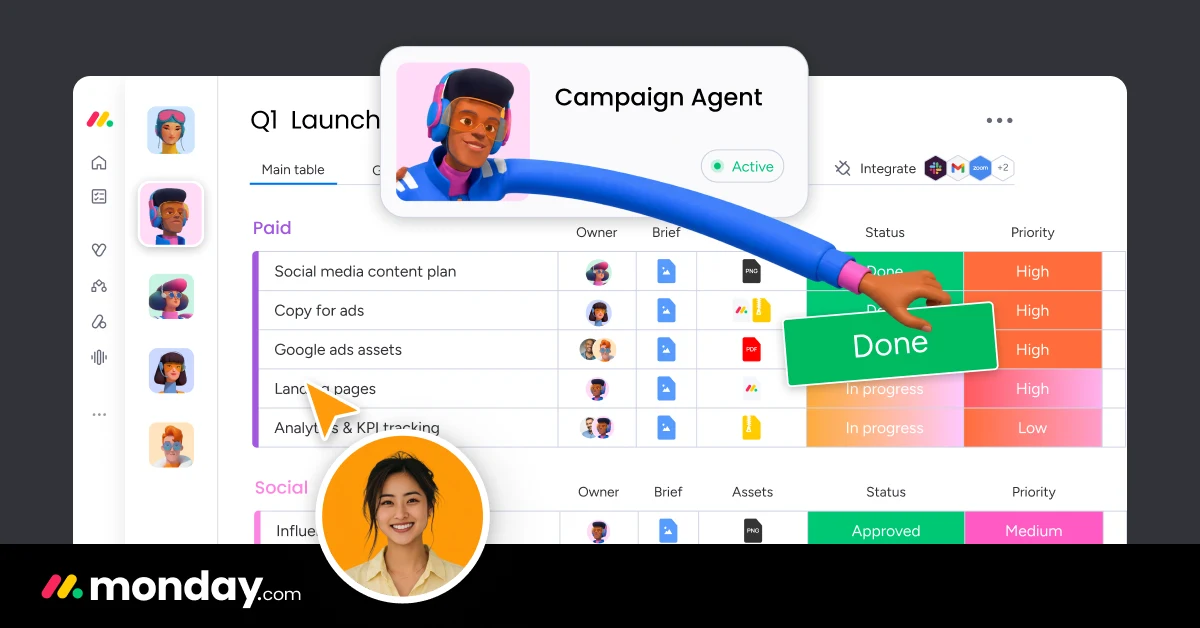
| Core model | Board-first: rows are items, columns carry status, people, dates and numbers; one board shape can model almost any workflow | Grid-first: a sheet of rows and columns, shown as grid, Gantt, card or calendar; formulas and cell links join sheets together |
| Formulas and calculation | Formula columns on boards, useful but secondary to the visual workflow | The point of the tool: rich formulas, cross-sheet formulas and cell linking; the grid is a calculation surface, not just a list |
| Views | Boards, timeline, Gantt, calendar and dashboards built from widgets across boards | Grid, Gantt, card, calendar and timeline views on the same sheet data, without restructuring it |
| Automations | Standard: 250 automation and integration actions per month; Pro: 25,000 per month | Pro: 250 automation runs per month; Business: unlimited automations |
| Reporting | Dashboards of widgets pulling from multiple boards; the visual, cross-board view is a genuine strength | Reports across many sheets, dashboards fed by those reports, and portfolio roll-ups; PMO-style reporting is the home turf |
| Governance | Portfolio-level management is an Enterprise conversation | Enterprise administration (SSO, audit logs, access controls) plus Control Center for standardised provisioning at the higher tiers, as a premium add-on |
| Onboarding | Fast for non-technical teams: visual boards, templates and drag-and-drop setup | Fast for spreadsheet users, slower for everyone else: the grid is familiar, but advanced formulas and dashboards take real skill |
| Free option | $0 free plan: up to 2 seats, up to 3 boards, up to 3 docs | No free-forever plan on the current pricing page: a 30-day free trial, no credit card required |
| First paid tier (annual) | Basic $9 per seat per month; Standard $12 with timeline, Gantt and guest access | Pro $9 per Member per month, 1 to 10 Members, unlimited Contributors |
| Upper tier (annual) | Pro $19 per seat per month: 25,000 actions, private boards, time tracking | Business $19 per Member per month, 3 or more Members, unlimited Guests and Contributors, unlimited automations |
| Paid-plan seat minimum | Paid plans start from 3 seats — a two-person team pays for three | Pro is capped at 10 Members; Business needs 3 or more Members; Enterprise is custom-priced |
| The honest split | Wins on the free plan, onboarding speed and non-technical teams | Wins on formula and grid depth, PMO-style reporting and governance |
The two models, side by side
Everything else in this comparison follows from one design choice. Monday treats the board as the unit of work: add columns for status, people, dates and numbers, and the same board shape can run a sales pipeline on Monday and a hiring tracker on Tuesday. Smartsheet treats the sheet as the unit: a sheet of rows and columns that can be shown as a grid, a Gantt chart, a card board or a calendar — same data, different view — with formulas that reach across sheets and pull numbers together. Monday generalises the board; Smartsheet weaponises the spreadsheet. And that, more or less, is the whole comparison.
Grid depth and formulas: Smartsheet’s home turf
If your plan is really a model — budgets that sum across projects, dates that cascade through dependencies, status that rolls up from twenty sheets into one line — Smartsheet is the tool built for that sentence. Its grid supports typed columns, rich formulas, cross-sheet formulas and cell linking, so a number in one sheet can be a live input to another. Add predecessors with a Gantt view and baselines, and you have a schedule, not just a list of tasks with dates attached.
Monday has formula columns, and for simple board maths they are fine. But a formula column on a board is a convenience; a formula network across sheets is an architecture. The dry irony is that the prettier tool is the weaker calculator here. Teams that live in Excel will feel it within an hour: Smartsheet rewards spreadsheet fluency, Monday rewards visual fluency, and fluency is what decides adoption long after the trial ends.
The honest caveat runs the other way, too. Smartsheet’s power has a skill price. Advanced formulas and dashboard building take real aptitude, and a team that does not have a spreadsheet person will get a simpler tool out of Smartsheet than they paid for. Monday’s ceiling is lower; its floor is much higher for a mixed-ability team.
Reporting and governance: the PMO test
This is where Smartsheet stops being “a spreadsheet with extras” and becomes a programme-management tool. Reports pull rows from many sheets into one view; dashboards are fed by those reports; portfolio roll-ups give a programme manager one line per project across hundreds of sheets. At the higher tiers, Control Center standardises how projects are provisioned from approved templates and pushes global updates across many sheets at once, while enterprise administration adds SSO, audit logs and access controls. That is governance: the same project, set up the same way, reported the same way, whether there are five of them or five hundred.
Monday’s dashboards are its quiet superpower for a different job: widgets spanning several teams’ boards give a manager one screen without asking anyone for a status update. But a dashboard of board widgets is a view, not a governance system — there is no equivalent of standardised provisioning, and portfolio-level management on Monday’s side is an Enterprise conversation. If “show me everything at once” is the job, Monday may be enough. If “run fifty projects to one standard and prove it” is the job, only Smartsheet does it at a published tier structure.
Onboarding and the free plan: Monday’s home turf
Monday wins the first week, and the first week is where tools live or die. A board reads itself: coloured status labels, people, dates, a card you drag from one column to the next. A non-technical team can be running real work on Monday the afternoon they sign up, and the free plan — $0 for up to 2 seats and up to 3 boards — means they can do it without a purchase order, a trial countdown or a finance conversation.
Smartsheet’s first week is two different experiences. For the spreadsheet person, it is instant: the grid is home, the formulas are familiar, and the Gantt view is a bonus. For everyone else, it is a learning curve with a deadline, because the pricing page offers a 30-day free trial with no credit card required — generous as trials go, but a trial all the same. There is no free-forever plan on the current pricing page to fall back on while the team learns. If your team has no spreadsheet champion, budget the learning time honestly, or Monday’s head start will compound.
Monday vs Smartsheet pricing: shapes, not just numbers
All prices below are annual billing, per seat or per Member per month, in US dollars, checked against the vendors’ pricing pages on 24 October 2026. Monday also offers monthly billing, undiscounted; annual billing saves 18% against it. Monthly-billing figures are not printed here because the pricing pages’ monthly toggles were not captured cleanly enough in this check to attribute each figure with confidence — verify the monthly rate on the vendor page before budgeting monthly. Smartsheet prices per paid Member; Contributors can view, comment and attach without a paid seat on Pro, and Guests can edit shared items on Business and above, so not every collaborator needs a paid Member seat.
Monday Work Management: Free $0 (up to 2 seats, 3 boards, 3 docs); Basic $9; Standard $12 (250 automation and integration actions per month); Pro $19 (25,000 actions per month); Enterprise custom. Paid plans start from 3 seats, and a 14-day Pro trial is available. Separately billed Monday products (CRM, dev, service) have their own plans and are not part of this comparison.
Smartsheet: Pro $9 per Member per month billed annually (1 to 10 Members, unlimited Contributors); Business $19 per Member per month billed annually (3 or more Members, unlimited Guests and Contributors, unlimited automations); Enterprise custom-priced (10 or more Members in the usual structure); a custom-priced Advanced Work Management tier also exists. The pricing page offers a 30-day free trial with no credit card required, and no free-forever plan. Pro caps automations at 250 runs a month; Business removes that cap.
Worked cost note: a 10-person team, billed annually
Monday Standard: 10 × $12 × 12 = $1,440 per year. Monday Pro: 10 × $19 × 12 = $2,280 per year. Smartsheet Pro: 10 × $9 × 12 = $1,080 per year. Smartsheet Business: 10 × $19 × 12 = $2,280 per year. Two conclusions fall out of the arithmetic. First, Smartsheet Pro is the cheapest paid seat in this comparison — but it stops at 10 Members and caps automations at 250 runs a month, so a growing team outgrows it by design. Second, Smartsheet Business and Monday Pro cost exactly the same for ten people, which makes the choice a features contest, not a price contest: unlimited automations on both sides, dashboards on both sides, and then the model split — boards versus grids — doing the deciding. And a warning for two-person teams: Monday’s three-seat minimum means a pair pays for three Standard seats ($432 per year), while Smartsheet Business needs three Members too ($684 per year at $19) — and neither tool lets a pair pay for exactly two paid seats at these tiers.
Who should pick which
Monday deserves a serious test for…
- A non-technical or mixed-ability team that needs to be productive in week one, not after spreadsheet training.
- A team whose work is a mix of projects, pipelines, requests and trackers that refuse to look like one kind of project.
- A pair or tiny team starting free: Monday’s free plan is a real, indefinite starting point, not a countdown.
- A manager who wants one dashboard spanning several teams’ boards without buying a governance tier.
Smartsheet deserves a serious test for…
- A spreadsheet-fluent team whose plans are really models: budgets, dependencies and roll-ups across many sheets.
- A programme or PMO running many projects to one standard, where reports and governance matter more than prettiness.
- A team that needs baselines, critical-path scheduling and cross-sheet formulas as daily tools, not occasional extras.
- An organisation where SSO, audit logs and standardised provisioning are requirements, not nice-to-haves.
By team type, in short: small mixed teams start on Monday; spreadsheet-led operations and PMOs start on Smartsheet; creative and marketing teams fit Monday’s boards; finance, operations and delivery teams with heavy schedules fit Smartsheet’s grids. And the tie-breaker that never fails: put the same real project in both for a week, and watch which one the team opens without being asked.
Frequently asked questions
Is Monday or Smartsheet better for a small team?
Pick Monday first if the team is non-technical, the work is a mix of projects, pipelines and trackers, and you want people productive on day one with a free plan to start on. Pick Smartsheet first if the team already thinks in spreadsheets and the work is schedule-driven: dependencies, baselines and reports that roll many sheets into one view. Smartsheet has no free-forever plan, so a small team starts on a 30-day trial and then pays.
Which has the better free option?
Monday, by a clear margin. Monday has a free plan: $0 for up to 2 seats and up to 3 boards. Smartsheet's pricing page offers a 30-day free trial with no credit card required, not a free-forever plan. A pair can run real work on Monday free indefinitely; on Smartsheet the clock starts ticking on day one.
Which is better for formulas and spreadsheet-style work?
Smartsheet, and it is not close. It is a grid first: typed columns, formulas, cross-sheet formulas and cell linking between sheets. Monday has formula columns too, but its grid is a board with columns attached to items, not a calculation engine. If your plan lives or dies by formulas pulling numbers across many sheets, that is Smartsheet's home turf.
Which is better for PMO-style reporting and governance?
Smartsheet. Reports that pull rows from many sheets, dashboards fed by those reports, portfolio roll-ups, and — at the higher tiers — Control Center for standardised project provisioning and global updates across many sheets, plus enterprise administration such as SSO and audit logs. Monday's dashboards across boards are genuinely good, but they are a manager's view, not a PMO governance system.
How much do Monday and Smartsheet cost for a 10-person team?
Billed annually: Monday Standard costs $1,440 per year and Monday Pro $2,280 per year. Smartsheet Pro costs $1,080 per year for 10 Members, and Smartsheet Business costs $2,280 per year — exactly the same annual total as Monday Pro. The real choice at 10 seats is therefore not the headline total but what each plan caps: Smartsheet Pro is limited to 10 Members and 250 automation runs a month, while Monday Pro allows 25,000 automation and integration actions a month.
Can I try either before paying?
Yes, both, but the offers are different shapes. Monday offers a free plan plus a 14-day Pro trial, and paid plans start from 3 seats. Smartsheet offers a 30-day free trial with no credit card required on its pricing page, and then you pay: Pro from $9 per Member per month billed annually, Business from $19.
Sources and editorial methodology
Reviewed 24 October 2026. This is an independent, source-led comparison — not a hands-on software test, not a measured ranking and not a claim that a feature works in every plan or region. Features and prices change; verify your own account and contract. Monday’s pricing-page price cards are JavaScript-rendered and were not captured as text in this check; Monday tier prices above are corroborated by multiple independent October 2026 pricing reads and the vendor’s own FAQ section (free plan, 14-day Pro trial, three-seat minimum, 18% annual saving), with no price movement detected. Smartsheet’s annual prices, Member limits and 30-day trial terms were read from the vendor pricing page; monthly-billing figures were deliberately not printed because the page’s monthly toggle values were not captured cleanly enough to attribute. Smartsheet plan-feature details (automation caps, Control Center as a premium add-on at higher tiers) are corroborated by multiple independent pricing reads against the vendor page.
Related: Monday full review, Monday buyer’s guide, How much does Monday cost? and Project-management category (Smartsheet context — Smartsheet has no review page on this site yet).