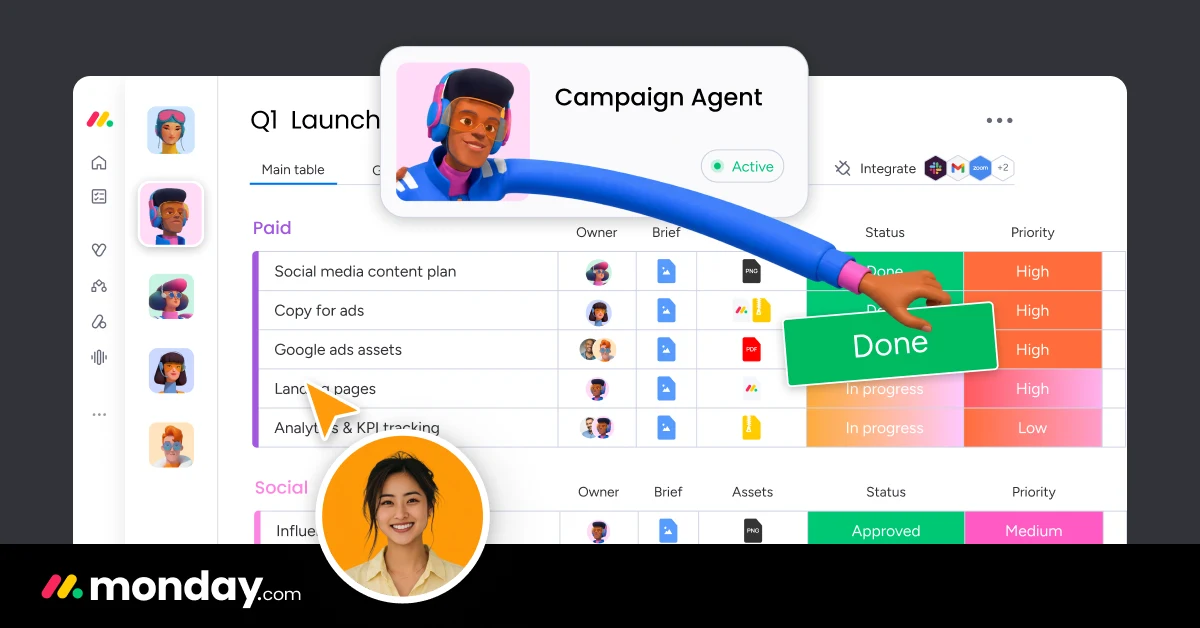
Trello wins the first board. Monday wins the tenth.
Stay on Trello if one or two boards cover the work, the team is small, and nobody is asking for a dashboard. Move to Monday when the work spans several boards, owners and deadlines need one shared view, and reporting has become a manual job in itself. The switch is not about features you might use one day; it is about the reporting and structure you already need and are currently faking.
Monday vs Trello: feature-by-feature comparison
The descriptions below are based on current vendor documentation. They are not scores or performance claims from our own testing. Prices are annual-billing, per-seat figures in USD.
| Buyer decision | Monday.com | Trello |
|---|---|---|
| Best starting point | A team that needs one shared view of work, owners, deadlines and progress in the same place | A team that needs a shared to-do board today, with no setup project first |
| Board model | Items grouped on boards, with many column types: status, people, dates, numbers, formulas and dependencies | Lists of cards on a Kanban board, extended with checklists, custom fields and Power-Ups |
| Views | Kanban, timeline and Gantt from Standard; chart view on Pro; dashboards combining boards | Board view first; Calendar, Timeline, Table, Dashboard and Map views on Premium |
| Automations | Standard: 250 automation actions and 250 integration actions per month; Pro: 25,000 of each per month | Built-in automation on every board; 250 Workspace command runs per month on Free, 1,000 on Standard, unlimited on Premium |
| Reporting and dashboards | Dashboards combine boards (1 board on Basic, up to 5 on Standard, up to 10 on Pro); chart view on Pro | Dashboard view on Premium; reporting is per board or workspace rather than a cross-board portfolio view |
| Free plan | $0 for up to 2 seats and up to 3 boards | $0 for up to 10 collaborators and up to 10 boards per Workspace, with unlimited cards |
| Paid pricing shape (annual, per seat) | Basic $9, Standard $12, Pro $19, Enterprise custom; paid plans start from 3 users; annual billing saves 18% | Standard $5, Premium $10, Enterprise $17.50; monthly billing runs higher ($6 Standard, $12.50 Premium) |
| Setup effort | An afternoon to design boards, columns and automations well; the payoff comes from that setup | Minutes to a working board; templates do most of the explaining |
| Structure that survives growth | Connected boards, dashboards and permissions (private boards on Pro) are built for a growing team | Boards multiply as work grows, and cross-board reporting is where the strain shows first |
Where Trello honestly wins
Trello wins on simplicity, and simplicity is not a consolation prize. A new team member understands a Trello board in minutes: lists, cards, drag, done. There is no board-design project, no column taxonomy to agree, and no afternoon lost to configuration before the first task moves.
The free plan is the other honest win. Up to 10 collaborators and up to 10 boards per Workspace, with unlimited cards, is a free plan a real small team can run on — not a demo with a countdown. And paid entry is gentle: Standard starts at $5 per user per month on annual billing, which undercuts Monday’s paid floor before Monday’s 3-user minimum even enters the arithmetic.
Trello also wins the “just get organised” test. For a household, a side project, a content calendar or a team whose work genuinely is a list of things to do, Trello’s restraint is the feature. Monday can do all of that too, but paying for dashboards and dependency columns to run a to-do list is like hiring a project manager to remind you to buy milk.
Where Monday honestly wins
Monday wins the moment the question changes from “what needs doing?” to “how is everything going?” Dashboards that combine boards, a chart view on Pro, and columns for owners, dates, numbers and dependencies turn a collection of tasks into something a manager can actually read. Trello’s Dashboard view, on Premium, reports on boards; Monday’s dashboards are built to report across them.
Automation depth is the second win, with a caveat both vendors share: the allowance matters more than the feature list. Monday’s Standard allowance of 250 automation actions plus 250 integration actions per month is modest for a busy team, and Pro’s 25,000 of each is where the ceiling genuinely lifts. That jump — from Standard to Pro — is the single most important pricing decision in this comparison, and it is easy to miss behind the $12 versus $19 headline.
The third win is structure that survives team growth. Connected boards, private boards on Pro, and a column model that can represent approvals, budgets and dependencies mean Monday keeps working when a team doubles. Trello does not break at that point; it just starts needing more boards, more Power-Ups and more manual chasing to answer the same questions.
Trello deserves a serious test for…
- A small team whose work fits on one or two boards.
- A group that needs to be working today, not after a setup week.
- A free or $5-per-seat budget where reporting is a nice-to-have, not a requirement.
- Personal projects, content calendars and simple shared to-do lists.
Monday deserves a serious test for…
- A team spread across several boards that needs one view of progress.
- Work with owners, deadlines, dependencies and approvals to track.
- Reporting a manager or client actually reads, rather than screenshots of boards.
- A growing team that expects its tool to still fit in a year.
The board model, each way
Trello’s model is a Kanban board: lists across, cards down, drag to progress. Cards carry checklists, due dates, members, attachments and, on paid plans, custom fields. Power-Ups bolt on integrations and extra board features. It is a model anyone can grasp, which is exactly why it spreads so fast inside a company — and why, later, nobody can quite say where a given piece of work lives.
Monday’s model is a board of items in groups, where each item carries structured columns: status, person, date, number, formula, dependency and more. The same work can then be shown as Kanban, timeline, Gantt or calendar, and rolled up into dashboards. That flexibility is Monday’s whole pitch, and also its tax: somebody has to design the columns, and a badly designed Monday board is worse than a simple Trello board because it looks authoritative while confusing everyone.
Views: the quiet price gap
Views are where the two pricing ladders quietly diverge. On Trello, the board view is free and excellent, but Calendar, Timeline, Table, Dashboard and Map views all sit on Premium at $10 per user per month. A team that discovers it needs a timeline has, in effect, discovered it needs Premium.
On Monday, timeline and Gantt views arrive on Standard at $12 per seat per month, and chart view on Pro at $19. So the view comparison is not “Monday has more views” in the abstract; it is that Monday puts planning views a rung lower on its ladder, while Trello puts them a rung higher on its own. Price the views you will actually open, not the ones on the marketing page.
Automations: metered on both sides
Both tools meter automation, and both free or entry allowances run out faster than buyers expect. Trello’s built-in automation gives 250 Workspace command runs per month on Free and 1,000 on Standard, with unlimited runs on Premium. Monday gives Standard 250 automation actions and 250 integration actions per month, and Pro 25,000 of each.
The practical test is the same for both: count how often your busiest rule would fire. A rule that triggers on every card move, on a board the team touches fifty times a day, will burn a 250-run allowance in a working week. Automate the most repetitive step first, measure a month of runs, and only then decide whether the upgrade is Standard-to-Pro on Monday or Standard-to-Premium on Trello.
Pricing shapes, not just prices
The headline prices flatter both tools in different ways. Monday’s per-seat prices look close to Trello’s until the 3-user minimum is applied: the lowest paid Monday starting point is 3 seats, so Basic starts at $27 per month on annual billing (3 × $9), Standard at $36 (3 × $12) and Pro at $57 (3 × $19). A two-person team pays for a third seat or stays on the free plan. Trello, by contrast, prices per user with no equivalent floor in its headline plans, so a small team pays for exactly the seats it has.
Annual billing is the other shape to price honestly. Monday’s annual plans save 18% against monthly billing, and Trello’s monthly rates run higher too ($6 Standard, $12.50 Premium, against $5 and $10 annual). Both vendors reward a year’s commitment; neither rewards guessing. Run the trial first, count a month of automation runs, and only then lock in the annual rate.
One more shape worth naming: Monday’s free plan is a trial of the product for one or two people, while Trello’s free plan is a usable team tool for up to 10 collaborators. If budget is zero and the team is small, that alone settles it — and there is no shame in that answer. The expensive mistake is not choosing Trello; it is choosing Monday and using it as Trello.
Five signs a team has outgrown Trello
Outgrowing a tool rarely announces itself. It shows up as friction, usually blamed on the team rather than the board. Watch for these:
- Board sprawl: the work now lives on six boards, and nobody can say which one is current.
- Reporting by hand: status updates are assembled from screenshots and chat messages because no dashboard answers the question.
- Automation caps: command runs run out mid-month, so rules stop firing and manual work creeps back.
- Ownership fog: cards have no clear owner, deadline or dependency, so follow-ups happen in chat instead of on the board.
- The weekly status meeting exists mainly to reconstruct what the tool should already show.
If two or more of those sound familiar, do not buy Monday on the spot — trial it. Monday offers a 14-day Pro trial, which is enough to rebuild one real workflow, with its real owners and deadlines, and see whether the dashboard answers the questions Trello currently cannot. A trial that rebuilds a toy board proves nothing.
Who should stay on Trello
Stay on Trello if the work is genuinely list-shaped: a content pipeline, a hiring tracker, a household or club rota, a small support queue. Stay if the team is under ten people, the budget is tight, and the loudest complaint about the current setup is that nobody updates the board — a new tool will not fix that complaint, and Monday’s setup cost will make it worse before it makes it better.
Stay, too, if Trello’s Premium views already answer your reporting needs. At $10 per user per month on annual billing, Premium buys the Timeline, Dashboard, Table and Map views plus unlimited automation runs — a credible middle step that is cheaper than Monday Pro and far less disruptive than a migration. The outgrowing question is not “is Monday better?” but “has Trello stopped answering our questions?” If it has not, there is nothing to outgrow yet.
How to test the switch in 14 days
- Pick one real workflow, not a demo: a live project with owners, deadlines and a status meeting.
- Rebuild it on Monday Pro’s 14-day trial, with the same columns Trello currently lacks (owner, date, dependency, status).
- Build the dashboard that would replace the manual status update, and show it at the real status meeting.
- Count a week of automation runs and project them across a month against Standard’s 250 and Pro’s 25,000.
- Price the real seat count, including the 3-user minimum, on annual billing — and compare it with Trello Premium for the same team.
- Ask the person who did not build the board to find the next overdue task. If they cannot, the board design needs work before any migration.
Frequently asked questions
Is Monday better than Trello?
Not universally. Trello is better when the work is a shared to-do list and speed matters more than reporting. Monday is better when the work spans people, deadlines, dependencies and reporting, and one board no longer tells the whole story. The honest answer depends on which of those two situations you are in.
What does Monday cost for a small team?
On annual billing, Monday Work Management runs from $9 per seat per month on Basic, $12 on Standard and $19 on Pro, with Enterprise on custom pricing. Paid plans start from 3 users, so the lowest paid starting point is 3 seats, not 1. Annual billing saves 18% against monthly billing; monthly prices are higher and are not quoted here.
Does Trello have a free plan a team can actually use?
Yes, within limits. Trello Free covers up to 10 collaborators per Workspace and up to 10 boards per Workspace, with unlimited cards. It is a genuinely usable free plan for a small group; its constraints are boards, collaborators and the 250 monthly automation command runs, not cards.
How do automation limits compare?
Both tools meter automation, which is the part most comparisons skip. Trello allows 250 Workspace command runs per month on Free, 1,000 on Standard and unlimited runs on Premium. Monday allows 250 automation actions and 250 integration actions per month on Standard, and 25,000 of each on Pro. A busy board with a rule firing on every card move can eat a small allowance in weeks, on either tool.
Which views does each tool offer?
Trello is Kanban-first: the board view is the product, and Calendar, Timeline, Table, Dashboard and Map views arrive on Premium. Monday offers Kanban, timeline and Gantt views from Standard, with chart view on Pro, and dashboards that combine boards (up to 5 boards on Standard, up to 10 on Pro).
When has a team outgrown Trello?
When the workarounds outnumber the workflows: boards multiplying to cover what one view should show, status updates chased in chat because no dashboard answers the question, automations hitting their monthly cap, or nobody able to say which projects are on track without opening every board. Any two of those is a strong signal to trial Monday rather than add another Trello board.
Sources and editorial methodology
Reviewed 24 October 2026. This is an independent, source-led comparison—not a hands-on software test, not a measured ranking and not a claim that an integration or feature works in every plan or region. Features and prices change; verify your own account and contract. Note: Trello has no /software/ review page on this site yet, so Trello links here go to the vendor site; Monday links go to the vendor via an approved tracked link.
Related: Monday.com full review, How much does Monday.com cost? and Monday.com buyer’s guide.