
Beginner apps: the quick facts
The short version: six jobs, six apps, mostly free
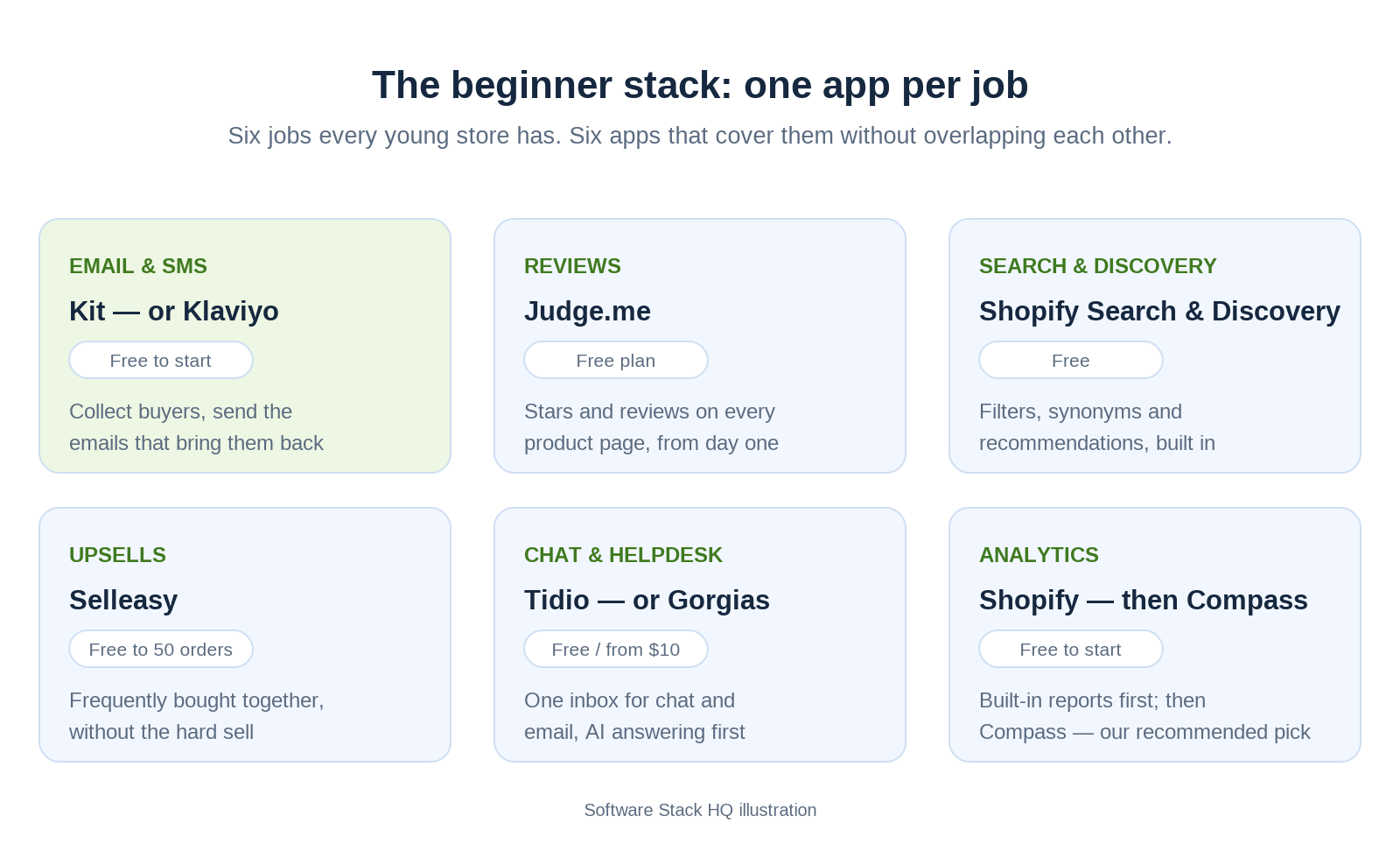
Install Kit (or Klaviyo) for email, Judge.me for reviews, Shopify Search & Discovery for search and recommendations, Selleasy for upsells, Tidio or Gorgias for chat and support, and nothing for analytics until Shopify’s built-in reports run out of answers. At launch volumes that stack can cost $0 a month in app fees; by the time you outgrow the free tiers you will be paying roughly $25–$60 — and, crucially, you will know exactly which job each dollar is doing. Prices below are from the App Store listings and vendor pricing pages, checked 23 October 2026.
The rule before the list
Beginner app lists usually fail by generosity: forty apps, each “essential”, totalling more than the rent. The discipline that keeps a young store sane is one app per job — and the willingness to name the job before opening the App Store. If the job is “make the store feel more professional”, that is not a job; that is a mood, and there is an app priced monthly for every mood you will ever have.
The six jobs below are the ones nearly every store actually has in its first year: reaching buyers again (email), proving the products are real (reviews), helping shoppers find things (search), raising the order value (upsells), answering questions (chat), and knowing what happened (analytics). Cover those, in that rough order, and stop. The App Store will still be there when a seventh job genuinely appears.
1. Email & SMS — Kit (Klaviyo when you outgrow it)
Email is where a store's second and third sales come from, and the beginner mistake is to leave it until the list is “big enough to bother”. Start collecting buyers from the first order. Our first pick is Kit — the platform formerly known as ConvertKit — whose free plan is the most generous on this page: up to 10,000 subscribers, unlimited broadcasts, forms and landing pages, and the ability to sell digital products, with its Shopify app syncing buyers and purchases into your audience automatically. The catch is printed on the tin: the free plan has no real automations. The Creator plan, from $33 a month billed yearly at 1,000 subscribers, adds the visual automation builder and sequences — the welcome series, the abandoned-checkout nudge — which is where email starts paying rent.
The alternative is Klaviyo, the ecommerce specialist: a smaller free plan (250 profiles, 500 sends a month) and paid email plans from $20 a month for 500 profiles, priced by list size from there. Klaviyo's segmentation and pre-built ecommerce flows are deeper, and for a store whose email is a primary revenue channel it earns the steeper curve. And the baseline costs nothing at all: Shopify Email includes 10,000 free sends a month before per-send pricing — perfectly respectable while you decide which of the other two is your temperament.
2. Reviews — Judge.me
If this page had to be one app long, it would be this one. Judge.me collects and displays product and store reviews, and its free plan is unlimited — unlimited reviews, photo and video reviews included, the star-rating badge, carousels, and Google rich snippets, which is why it holds a 5.0 rating across more than 48,000 App Store reviews. The single paid plan, Awesome at $15 a month, adds automated request reminders, more widgets and the integration library.
Reviews are the rare app output that compounds in three directions at once: they convert the shopper reading them, they feed the star ratings Google shows, and — per Shopify's own listing-quality grading — your rating and review count are among the signals AI assistants weigh when recommending products, which our AI recommendation guide covers in full. Switch the automated requests on before your first promotion, not after your fiftieth order.
3. Search & product discovery — Shopify Search & Discovery
The best-value app in the store is Shopify's own, and it is free. Search & Discovery gives you collection and search filters, synonym groups (so “trainers” finds the shoes you filed as “sneakers”), product boosts for the items you most want surfaced, related and complementary product recommendations on product pages, and analytics showing what shoppers searched for and failed to find.
That last report is the sleeper feature: a list of real demand your catalogue does not currently satisfy, written by your own visitors. Set the app up once — filters on the attributes shoppers actually use, synonyms for your category's slang, complementary products paired by hand on your top sellers — and a beginner store has discovery that third-party apps charge monthly to imitate. Graduate to a paid AI search app when your catalogue runs to thousands of products and the manual pairing stops scaling, not before.
4. Upsells — Selleasy
The cheapest revenue in ecommerce is the second item in an order that was already happening. Selleasy does the classic moves without theatre: Amazon-style frequently bought together bundles on the product page, add-ons in the cart, one-click post-purchase offers and thank-you-page cross-sells. It is free up to 50 orders a month, with paid tiers from $9 a month as order volume grows, and it carries a 4.9 rating on the App Store.
Two honest notes. Selleasy's tiers key off your total store orders rather than just the orders it touches, so a busy store should check which tier its volume lands in before the trial ends. And upsells only work when the pairing is genuinely useful — the battery for the torch, the strap for the camera. An upsell app offering random inventory at checkout is not a revenue strategy; it is a small tax on your conversion rate, collected monthly.
5. Chat & helpdesk — Tidio, or Gorgias when support grows teeth
Start with Shopify’s own Inbox — free, built in, and enough while questions are occasional. When chat becomes a daily job, the two honest routes are Tidio, whose free plan covers 50 conversations a month and whose Lyro AI agent can take the repetitive questions off your plate entirely, and Gorgias, the ecommerce helpdesk — from $10 a month — which folds email, chat and social into one inbox with your Shopify orders inside the ticket, and whose AI Agent can act on those orders, not just talk about them.
Which of the two, and what the AI tiers really cost once the per-answer fees are counted, is a comparison with enough sharp edges to deserve its own page: our AI chatbots for Shopify guide puts Tidio, Gorgias, Shopify Inbox and Intercom side by side. The short version: Tidio if chat is the main channel and the team is small; Gorgias when support volume and order surgery become the job.
6. Analytics — the app you do not install
The correct beginner analytics stack is the one already in your admin. Shopify's built-in reports cover sales, sessions, conversion and top products well past the point where a new store's questions get interesting, and the Google & YouTube app — free, from the App Store — connects Google Analytics 4 and syncs your products to Google surfaces. Between the two, you can answer the only three questions that matter this year: what sold, where the buyer came from, and which product page is leaking.
Paid analytics and attribution platforms have their day — roughly when you are spending real money across several ad channels and the platforms' own reports start contradicting each other at volume. Until then, every analytics subscription is a fee for charts describing traffic you do not yet have. Spend the money on the products the charts will describe.
Compass: the step-up we recommend
5.0 out of 5 on the Shopify App Store (3 reviews) · Recommended by Software Stack HQ — our pick for the paid-ads attribution job, for when Meta Ads and Shopify disagree about a sale.
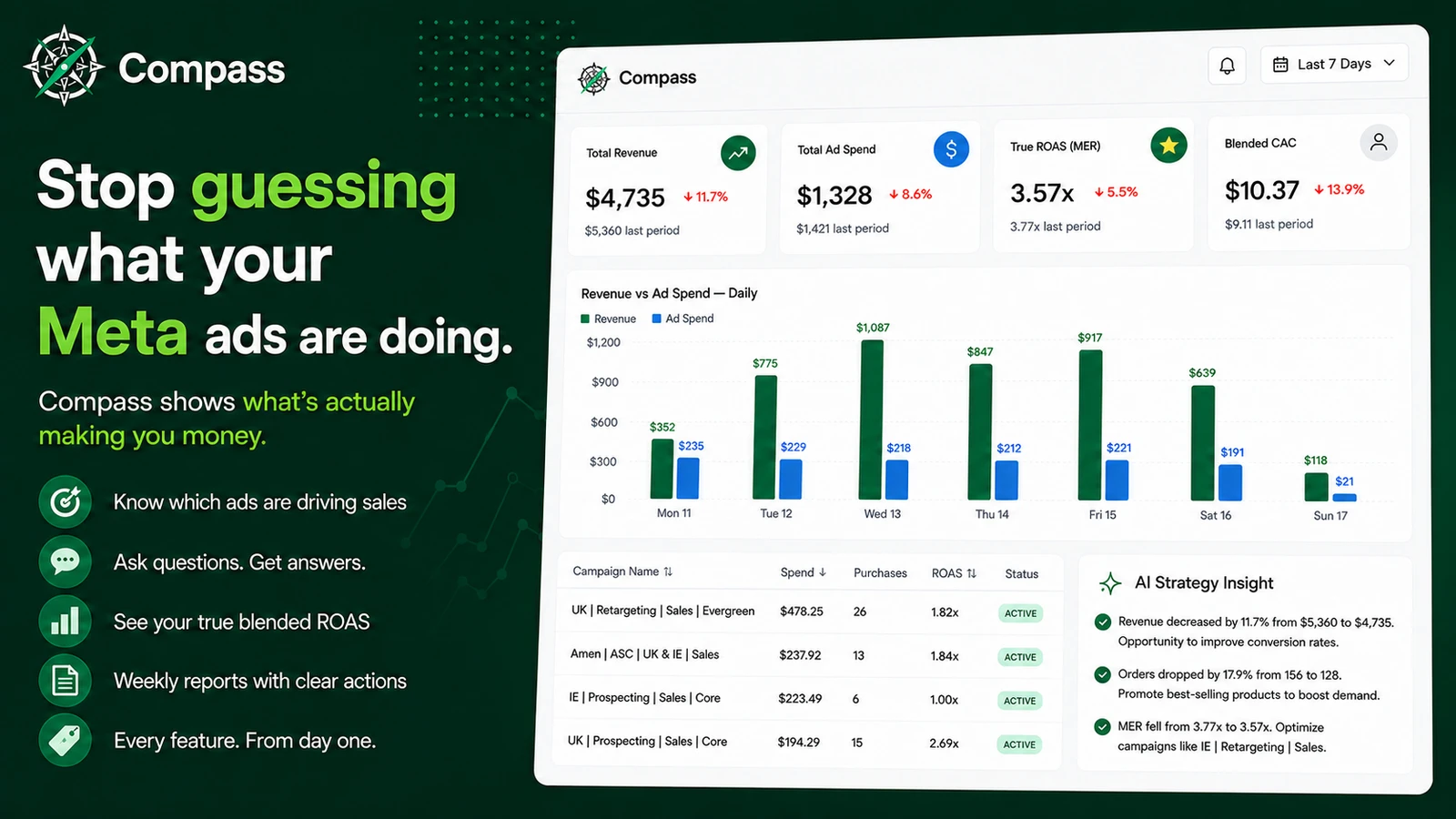
Compass is a Shopify app that blends Meta Ads and Shopify store data into one dashboard, so the argument about which channel earned a sale happens in one place. On top of the dashboard sit weekly performance reports and an ask-questions feature that answers from your own numbers in plain English. It runs $49 a month after a 14-day free trial — which is exactly why it lives here and not in the starter stack above: it earns its keep only once ad spend is big enough for attribution to be a genuine argument. We go through it properly in our Compass for Shopify assessment.
What the starter stack costs
| Job | Pick | Starting price |
|---|---|---|
| Email & SMS | Kit (Klaviyo from $20/mo) | Free to 10,000 subscribers; Creator from $33/mo billed yearly |
| Reviews | Judge.me | Free; Awesome $15/mo |
| Search & discovery | Shopify Search & Discovery | Free |
| Upsells | Selleasy | Free to 50 orders/mo; paid from $9/mo |
| Chat & helpdesk | Tidio — or Gorgias | Free plan — or from $10/mo |
| Analytics | Shopify reports + Google & YouTube app | Free |
Prices from the App Store listings and vendor pricing pages, checked 23 October 2026. App pricing changes and tiers key off different meters — subscribers, orders, conversations — so check your own volume against the listing before the trial ends.
Put together, the stack is $0 a month at launch volumes and roughly $25–$60 a month once the free caps start to bite — against a Shopify plan that is itself $29 on annual billing. Apps should be a rounding error with ambitions, not a second rent. We priced the whole Shopify bill, apps included, in our Shopify cost guide.
What to skip for now
Loyalty programmes (nobody is loyal to a store they found on Tuesday — earn the second order first). Subscriptions apps, unless your product is genuinely consumed on a cycle. Page builders, while a good free theme and your own photography will outperform a template you have not learned yet. A second pop-up tool of any kind — your email app already has forms. And the bundled “AI growth suites” that promise to automate marketing, support, search and your horoscope from one dashboard: each job done adequately by a suite is done better by the specialist above, usually for less, and you can fire a specialist without moving house.
The test for every future install is the sentence: “This app does X, which we currently cannot do, and we will know it worked when Y.” If the sentence will not finish, close the tab. The App Store's business model is your curiosity; yours should be your customers'.
Bottom line
A beginner store's app stack should look like a good toolbox, not a gadget drawer: Kit or Klaviyo sending the emails, Judge.me gathering the proof, Search & Discovery guiding shoppers, Selleasy making the useful second offer, Tidio or Gorgias answering at 2am, and Shopify's own reports telling you what happened. Six tools, six jobs, a bill that starts at nothing. Everything after that is growth — and growth, unlike an app subscription, is a nice problem to have. Our Shopify review covers the platform the stack bolts onto.
Shopify apps for beginners: FAQs
How many apps should a new Shopify store install?
About five or six — one per job that actually needs doing: email, reviews, search, upsells, chat, and nothing for analytics until the built-in reports stop answering your questions. Every extra app is a monthly fee, a settings page and a possible argument with your theme. Add an app when a job is visibly undone, not because the App Store recommended it with feeling.
Are these free plans actually free?
Mostly, yes, with the caps printed on them. Judge.me's free plan is unlimited reviews with no expiry; Shopify Search & Discovery is simply free. Selleasy's free tier runs to 50 orders a month and Kit's free plan covers up to 10,000 subscribers without automations. Read the cap, not the word “free” — the honest apps print both, and all six picks here do.
Will apps slow my store down?
Modern App Store apps load through app embeds and checkout extensions rather than editing your theme's code, so the old horror stories are rarer than they were. The real risks are clutter (three pop-ups racing each other), duplicated jobs (two apps sending the same email) and widgets stacked on the product page until it reads like a ransom note. One app per job is also a performance policy.
If I install only one app, which one?
The one that matches your bottleneck. No reviews yet and traffic arriving? Judge.me. Traffic fine but nobody hears from you twice? An email app. The generic answer is reviews first: they compound — into conversions, into Google snippets, and now into the data AI assistants grade (see our guide to getting recommended by ChatGPT).
Kit or Klaviyo for email?
Kit if your store sells on the back of content, a newsletter or a personal brand — its free plan is the most generous on this page and its automations arrive on the Creator plan from $33 a month billed yearly. Klaviyo if email is a pure revenue channel from day one and you want the deeper ecommerce segmentation and flows; its free plan is smaller (250 profiles) and paid plans start at $20 a month for 500 profiles. Both connect to Shopify natively; the honest difference is temperament, not features.
When should I uninstall an app?
When you cannot state, in one sentence, what it earned last month. App creep is the quiet line item in our cost breakdowns — a handful of forgotten $15 subscriptions can outrun the Shopify plan itself. Audit the app list quarterly, the way you would audit any other bill.
Sources and editorial notes
This page is an editorial desk-research shortlist, not a hands-on test of every app. App features, plan caps and prices were checked against the Shopify App Store listings and the vendors’ own pricing pages on 23 October 2026; app pricing changes often and tiers meter different things, so confirm the current listing before installing. The Gorgias link in the chat section, the Kit link in the email section and the Compass link in the analytics section are approved referral links; the Tidio link is an ordinary vendor link — neither changes the picks, which were made on fit for a beginner store.
- Judge.me — plans and rich snippets ↗
- Shopify App Store — Shopify Search & Discovery ↗
- Kit — plans and pricing ↗
- Compass — features and pricing ↗
- Shopify — what is Klaviyo? (plans and pricing) ↗
- Shopify App Store — Tidio live chat & AI chatbot ↗
- How much does Shopify cost? — Software Stack HQ ↗
- AI chatbots for Shopify stores — Software Stack HQ ↗
- Shopify review — Software Stack HQ ↗