Monday.com: the quick facts
Who Monday is for, who should walk away, and the verdict
Buy Monday if a small team needs one visible place where work, owners and deadlines live — projects, campaigns, pipelines, client lists — and is willing to appoint someone to keep it tidy. Walk away if you are solo and resent paying for three seats, if you want a free tool rather than a free taste, or if the job is really documents, spreadsheets or client messaging (sections 9 names the better tool in each case). Verdict in one line: Monday is a very good board with a pricing model that punishes small teams and rewards teams that pick the right product before they pick a plan.
What Monday actually is in 2026
Monday.com calls itself a Work OS, which in plain English means this: a shared workspace where work is stored as boards, and boards can be automated, reported on and viewed several ways. The pitch is that a team stops running its week out of inboxes, chat threads and a spreadsheet nobody trusts, and runs it out of one place everybody can see. That part is true, and it is the whole appeal.
The part the homepage soft-pedals is that the platform now ships as a family of four products, not a single tool. Work Management is the general one — projects, tasks, campaigns, operations. monday CRM is the sales one. monday dev is the software-building one. monday service is the support-ticket one. They share the same boards, automations and dashboards, and they share a login. They do not share a bill.
The hallway matters more than the doors
The shared hallway is why teams that already use one Monday product tend to buy a second: the boards look familiar, the automations transfer, the dashboards already exist. It is also why the pricing stings: familiarity is not a bundle discount. A sales team running Work Management for delivery and CRM for its pipeline is paying two subscriptions, quite possibly for the same people, and should budget that way from day one.
The board model, explained
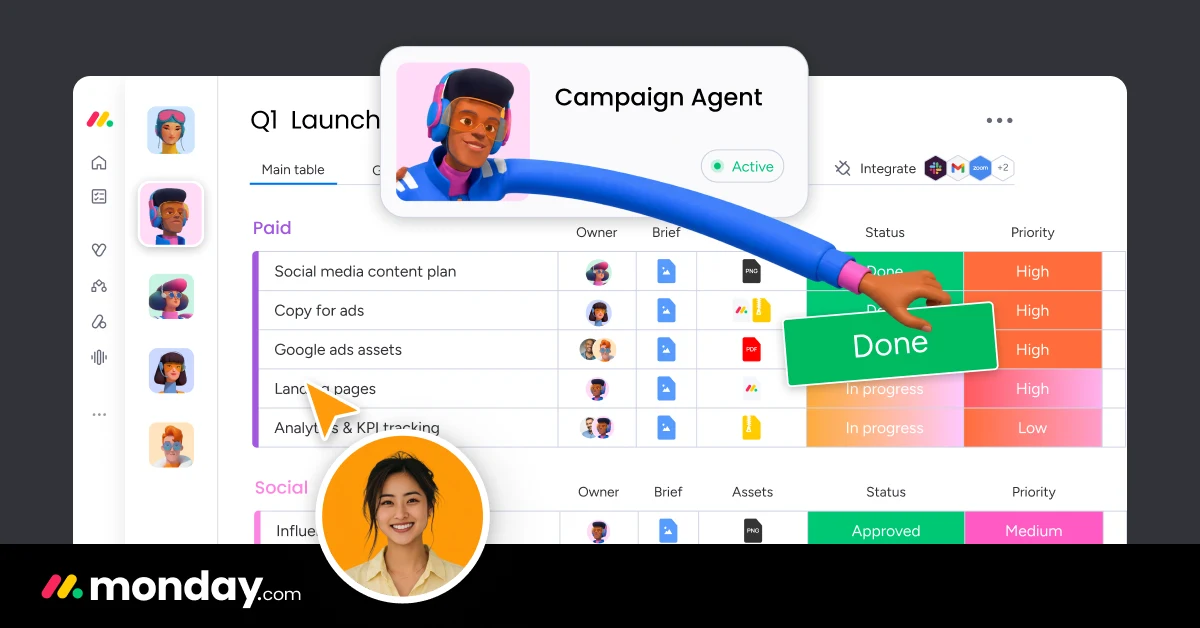
A board is a grid. Each row is an item — a task, a deal, a client, a ticket, whatever the board is tracking. Each column is a property of that item: who owns it, what stage it is at, when it is due, how much it is worth, whether it is approved. That is the whole model, and its power is that it refuses to specialise: the same grid can be a project plan on Monday, a sales pipeline on Tuesday and a client list on Wednesday, simply by renaming the columns.
The second half of the model is views. The data does not change; the lens does. The table view is the work itself, row by row. Kanban drags items between stages. The timeline (and its stricter cousin, Gantt) lays items against dates so slippage is visible. The dashboard rolls boards up into charts for whoever needs totals rather than tasks. A team that only ever uses the table is using about a quarter of the product — and usually the quarter that looks most like the spreadsheet they were trying to escape.
Why a board beats a spreadsheet — and where it does not
A spreadsheet is a brilliant private tool and a terrible shared one: no owners, no notifications, no audit trail, and five conflicting copies by Friday. A board fixes exactly those things — every item has an owner, a status and a history, and changing a deadline can notify the people downstream. Where a board loses is pure calculation and pure writing: if the work is really a financial model, stay in a spreadsheet; if it is really a document, stay in a docs tool. Monday is for work that moves between people, not work that sits still.
Which product do you need?
Follow the work, not the brand. The decision flow is short, and most buyers only need to answer one question honestly:
| If the work is | You need | Watch out for |
|---|---|---|
| Running projects, campaigns or team operations | Work Management | The default choice — and the one this guide prices in full |
| Selling: leads, deals, pipeline, follow-ups | monday CRM | Billed separately from Work Management, even for the same people |
| Building software: sprints, bugs, releases | monday dev | A different product from Work Management, not a template inside it |
| Answering support tickets and requests | monday service | No free tier listed and no Basic tier — it starts at Standard |
Priced separately warning, stated plainly: each product has its own plans, its own seat count and its own bill. Two products means two subscriptions. If a salesperson quotes you one number for everything, ask which product it covers.
The most common wrong turn
Buying Work Management and then trying to bend it into a CRM, or buying CRM and wondering why project timelines feel like an afterthought. Boards are flexible enough to fake either job for a month, which is exactly long enough to build a workflow you will have to rebuild properly later. Pick the product that matches the work, even when the other one looks cheaper — the rebuild costs more than the difference.
What it costs, honestly
Work Management annual prices, per seat per month, checked 24 October 2026: Free $0, Basic $9, Standard $12, Pro $19, Enterprise custom. Paid plans start from 3 users — monday.com's own pricing FAQ says so outright — and annual billing saves 18% against monthly. Annual billing is also paid in one upfront installment, so the number on the pricing page is a monthly rate and the number on the invoice is twelve times the seat total, all at once.
The other three products, same annual basis: monday CRM $12 / $17 / $28 with a custom Ultimate tier; monday dev $9 / $12 / $20; monday service $31 / $45 with no Basic or free tier listed. Monthly billing exists and is not discounted; we do not print monthly figures here because they were not verified at build time. Full maths — seat totals, annual prepay, and the cost of running two products side by side — lives on the cost guide.
| Work Management tier | Per seat / month, annual | What it buys you |
|---|---|---|
| Free | $0 | Up to 2 seats, 3 boards, 3 Docs — a taste, not a team plan |
| Basic | $9 | Unlimited items and viewers, 1,000 AI credits a month |
| Standard | $12 | Timeline and Gantt, automations and integrations, 2,000 AI credits |
| Pro | $19 | Time tracking, private boards, far higher automation limits, 3,000 AI credits |
| Enterprise | Custom | Portfolio and resource management, advanced permissions and security |
Teased totals, seat cost only: a 3-person team on Standard pays $36 a month on annual billing ($432 upfront for the year); the same team on Pro pays $57 a month ($684 upfront). A 10-person team on Pro pays $190 a month in seat cost. Those totals exclude any extra AI credit purchases — see the AI section.
The gates that pick your plan
Monday does not really sell five plans; it sells four gates, and whichever gate you hit first picks your tier. Automations and integrations: Standard allows 250 actions a month each; Pro allows 25,000 each. A team that automates status changes, notifications and handoffs will blow through 250 actions the way a teenager blows through a data allowance — quietly, then all at once. Views: Timeline and Gantt arrive at Standard; if you manage by dates, Basic is not a real option. Time tracking and private boards arrive at Pro; teams billing by the hour or handling sensitive work hit this gate hard. AI credits scale with tier — 1,000 on Basic, 2,000 on Standard, 3,000 on Pro — and credits, unlike seats, are a shared pool the whole workspace draws from (next section).
The practical rule: if you only need boards and statuses, Basic is honest value. If you need dates, automations or guests with proper views, Standard is the floor. If you track time, need privacy or automate anything at volume, Pro is not an upgrade — it is the starting line. Enterprise is a governance purchase (portfolios, multi-level permissions, advanced security), and if you need a sales call to explain why, you probably already know.
Monday's AI layer, in one section
Monday's AI comes in three flavours, and they are easy to confuse because Monday markets them as one glow. Sidekick is the assistant: ask it about your boards, get summaries, drafts and next steps. On Standard and Pro, the Lite version is capped at 5 messages per member per day — enough to taste, not enough to live on. Agents are the workers: purpose-built helpers that build project plans, flag risks, write status reports and screen candidates, running off your live board data. Credits are the meter: every paid Work Management plan bundles a monthly allowance (1,000 / 2,000 / 3,000 by tier), tasks consume credits by complexity, and the bundle is shared across the workspace rather than per person — so one enthusiastic team can drink the pool dry while another team never touches it.
Two cautions. First, the AI catalog applies to Work Management only — CRM, dev and service buyers should not assume the same AI bundle travels with them. Second, credits are the quiet new line on the Monday bill: the seat price has not moved, but a team that leans on agents will eventually buy more credits, and that purchase is usage, not subscription. Budget the bundle, watch the meter in month one, and treat any agent that saves real hours as earning its credits — and any agent that merely writes prettier status updates as a cost looking for a reason.
How it compares
Against Asana. Asana is the more disciplined project tool: clearer structure, less temptation to build a second spreadsheet with colours on. Monday is the more flexible one: easier to reshape a board into a pipeline, a tracker or a client list, and friendlier to teams whose work refuses to sit in one shape. Pick Asana if the team wants guardrails; pick Monday if the team wants a blank grid and the confidence to design its own workflow — and the owner to maintain it.
Against Trello. Trello is Kanban done simply, and for a small team tracking cards through stages it is still hard to beat on ease. Monday is what you graduate to when a card needs owners, dates, dependencies, dashboards and automations all at once — or when the team has outgrown one board and needs a workspace. If Trello still fits, Monday is not an upgrade, it is overhead.
Against GoHighLevel. This is the comparison that decides the most purchases, because the two overlap less than they appear to. GoHighLevel is a front-office machine: client messaging, SMS, funnels, booking and follow-up in one place, built for businesses that win work by talking to customers. Monday is an operations machine: internal work, tracked visibly. A business that needs both should expect to run both, or accept that Monday will never send the SMS and GoHighLevel will never run the project properly.
When to leave entirely. Leave when the work already has a natural home that does the job better: code lives in a dev tool, documents live in a docs tool, money lives in accounting software, and customers who need phoning live in a phone system. Monday earns its seat when work moves between people and needs a visible trail. When the trail already exists somewhere else, Monday is a second copy of the truth — and second copies are where teams go to argue about which one is right.
Who should skip Monday
Solo users. The 3-seat minimum means you pay for two colleagues you do not have. A solo operator on Basic pays $27 a month for one person's boards, and that phantom-seat tax never goes away. A free plan or a simpler tool respects a team of one; Monday's pricing does not.
Free-plan hunters. The free plan is 2 seats and 3 boards. That is a demo with your own data in it, not a business system — the third board is where most real teams discover they needed a fourth. If the budget is genuinely zero, pick a tool whose free tier is designed to be lived in, not outgrown.
Docs-first teams. If the work is really writing, storing and finding documents, Monday's Docs are a side room, not the house. Notion is the honest answer there: documents as the system, with tasks attached, rather than tasks with documents attached.
Spreadsheet purists. If the team thinks in formulas, pivots and models, a board will feel like a spreadsheet with its best features removed. Smartsheet keeps the grid the team already understands and adds the workflow on top, without asking everyone to learn a new mental model.
Anyone needing client comms and SMS in the same tool. Monday tracks the work; it does not talk to the customer. If the workflow is missed-call text-back, SMS follow-up, booking links and review requests in one place, that is GoHighLevel's job, and buying Monday for it is buying a very handsome hammer for a screw.
How to trial it properly
Take the 14-day Pro trial — it covers Work Management, CRM and dev — and refuse to spend it on demo data. Build one real workflow: a client campaign with named owners, dependencies between stages and an approval step. Then do the thing trials are for: change a deadline mid-flight and watch who has to act. If the right people get notified, the timeline moves and nobody has to ask what changed, the tool works. If the change silently sits there until someone notices in a meeting, no feature list will save you.
Three disciplines make the trial honest. First, name a workspace owner before day one — the person who designs the boards, owns the automations and tidies the mess, because an unowned Monday workspace becomes a junk drawer within a month. Second, invite the sceptic, not just the enthusiast: the enthusiast will love any new tool for a fortnight. Third, price the trial's end on day one — seat count, product, tier, annual prepay — so the decision on day fourteen is about the workflow, not a surprise invoice. A trial that ends in a shrug has still told you something: the team did not miss it, and that is an answer.
Monday.com buyer’s guide: FAQs
Is monday.com free?
Work Management has a free plan: up to 2 seats, 3 boards and 3 Docs. It is a genuine way to learn the board model, and a genuine dead end for a team — two seats and three boards run out fast. There is no permanent free plan for monday CRM, dev or service; those start with a paid plan or a trial.
Why am I paying for 3 seats when there are only two of us?
Because monday.com's paid plans start from 3 users — that is the pricing page's own rule, not a rounding error. A two-person team on Standard pays 3 × $12, which is $36 a month on annual billing, and the third seat sits empty. Solo buyers feel this hardest: the cheapest honest paid entry is 3 × $9 on Basic, $27 a month, before anything else.
Is monday CRM included in my Work Management plan?
No. monday CRM is a separate product with its own plans — Basic $12, Standard $17 and Pro $28 per seat a month on annual billing, plus a custom Ultimate tier — and its own seat count. Buying Work Management does not buy you a CRM, and a salesperson using both products can mean two subscriptions covering the same person. Price the product you need, not the brand.
Can monday.com replace our CRM or our spreadsheets?
It can replace a spreadsheet that has grown into a shared tracker, because a board is a spreadsheet with owners, dates, statuses and views bolted on. It can replace a CRM only if your sales process is simple enough to live on a board: pipeline stages, owners, follow-ups. If you need forecasting, email sync and quotes as first-class features, that is what monday CRM is sold separately to do — and if you need client messaging and SMS in the same tool, Monday is the wrong shop entirely (see the GoHighLevel comparison below).
What does the 14-day Pro trial actually cover?
The Pro trial covers monday Work Management, monday CRM and monday dev. It does not, on the pricing page's own wording, extend to monday service. Use it on one real workflow with real deadlines — the trial section below shows how — because fourteen days of clicking demo boards teaches you the interface and nothing about whether your team will live in it.
Sources and editorial notes
This page is an editorial desk-research breakdown, not a hands-on product test. Prices were checked against monday.com’s pricing page on 24 October 2026 and are shown for annual billing; prices, offers and limits vary by country and change over time — the figures shown when you sign up govern. Monthly-billing prices are not printed because they were not verified at build time. Worked totals are seat cost only, before any extra AI credit purchases.