
When all you want to do is send a good email, simple wins.
A local retailer has a weekend promotion. A consultant wants to send a monthly update. A small practice wants to remind subscribers about a new service. None of them wants a complicated marketing department just to put a useful message in someone’s inbox.
That is the case for Benchmark Email. It brings the essentials together—templates, a drag-and-drop editor, brand assets, AI writing help, subscriber lists and clear results—without asking you to build an entire CRM strategy first.
Our take: a strong shortlist candidate if you already run your business and simply want email marketing to be easier. If you need sales pipelines, phone handling, WhatsApp and advanced omnichannel automation, consider a broader tool instead.
Less time building emails. More time running the business.
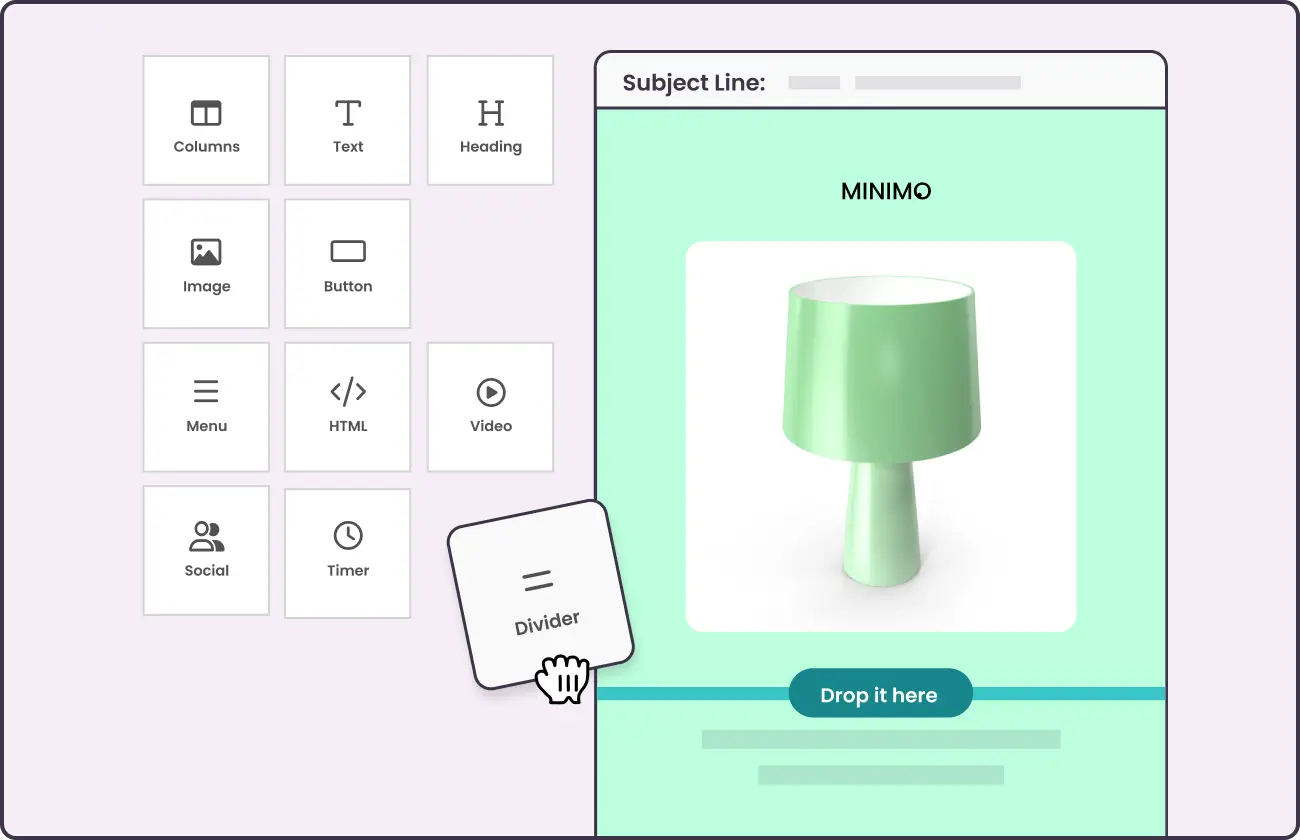
Make it look like your brand.
Start with a layout, bring in your logo, colours and fonts through the brand kit, then drag in product images and a clear button. No coding skills required.
Write without staring at a blank page.
The built-in AI assistant helps with headlines and campaign copy. Treat its suggestions as a starting point, then add the knowledge of your own customers.
Send the right thing to the right people.
Tags, dynamic lists and segmentation help you separate past purchasers, prospects and different interests instead of blasting everyone with the same offer.
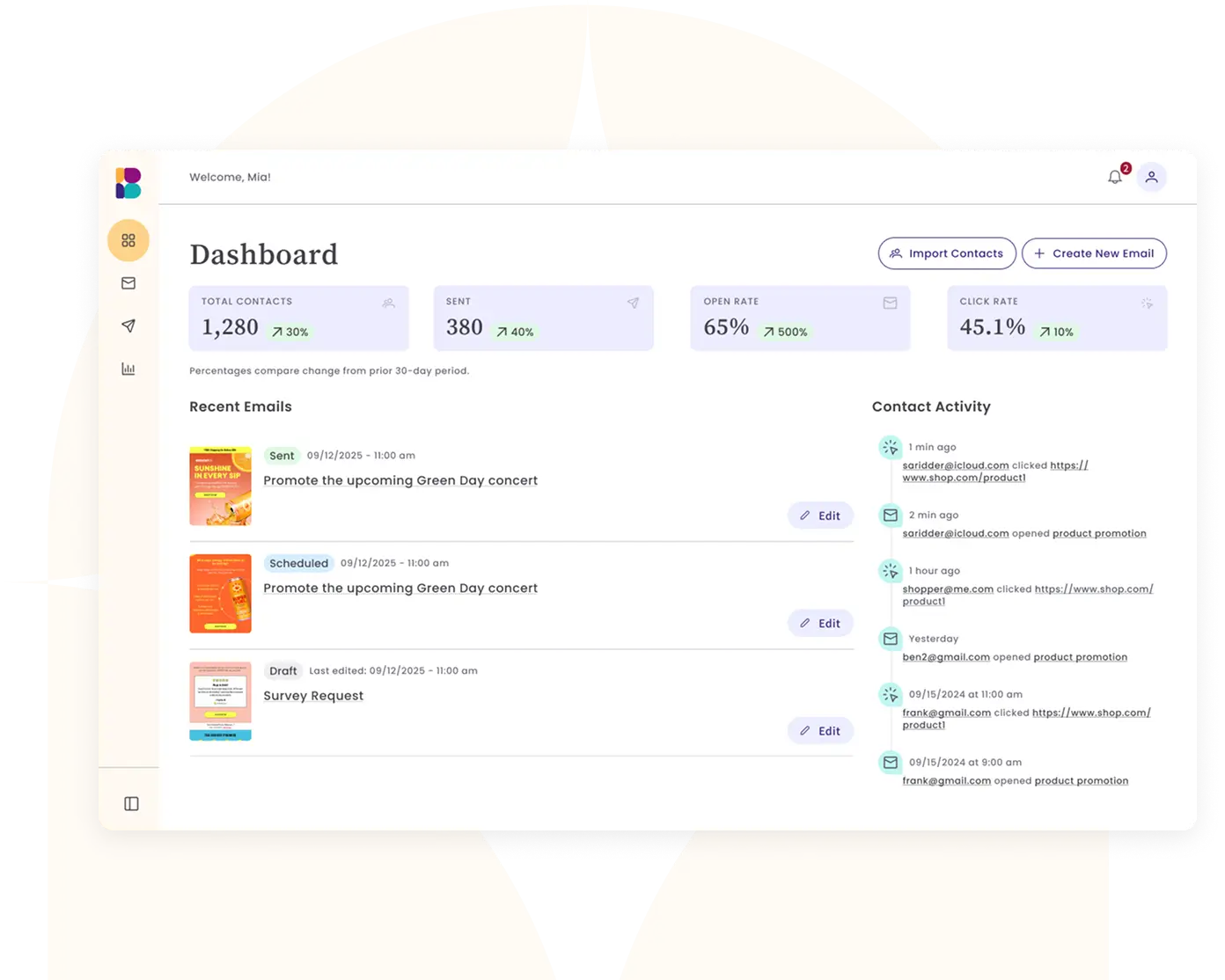
Know what happened after you hit send.
Reporting and the contact activity feed show opens and clicks. Use clicks and real customer actions to judge results rather than relying on open rates alone.
Built for people who own a business, not just a marketing dashboard.
Imagine a small independent jewellery boutique. New collections arrive, but social posts do not reliably reach previous buyers. One thoughtful email to customers who opted in—a few good photographs and an invitation to see the new range—can be more useful than another week chasing an algorithm. Benchmark helps make that repeatable.
Particularly good to investigate for
- Independent shops and boutiques: seasonal collections, offers and customer updates.
- Consultants and freelancers: newsletters, useful advice and gentle follow-ups.
- Local service businesses: opt-in updates, promotions and referral campaigns.
- Small nonprofits and community organisations: updates to volunteers and supporters.
Look elsewhere first if you need
- Deep sales CRM pipelines, opportunities and appointment operations.
- SMS, WhatsApp and chatbot campaigns in the same workspace.
- Highly complex multichannel customer-journey orchestration.
- A transactional-email infrastructure as the central requirement.
What I love most about Benchmark is how easy it is to just create an email and send it.
Numbers you can actually do something with.
Benchmark’s reports and activity feed help answer a small business owner’s practical questions: Which headline got attention? Did anyone click the offer? Is this segment interested? The point is not to drown in metrics. It is to make next month’s email a little better.

Benchmark Email pricing: free first, then room to grow.
Up to 500 contacts and 2,500 email sends per month. Includes templates, the email editor, tags, forms, reporting and limited AI credits.
One user, one verified sending domain; Benchmark branding appears in emails and forms.Starts at 1,000 contacts. Higher email allowances and AI credits, additional sending domains, and the option to remove Benchmark branding.
Subscriber tier and billing interval change the price; extra users cost more.Benchmark says its major tools are available across plans, with capacity limits rather than a heavily gated feature menu. On the free tier, you can discover whether designing, sending and measuring emails feels comfortable before upgrading. Verify current pricing and plan limits on Benchmark’s official pricing page.
What we would check before recommending it to every business.
Benchmark is deliberately email-first. That focus is the attraction, but it is also the main trade-off. An established agency managing phone leads, appointments and multi-channel sales automation will probably need a broader system. And even the easiest editor cannot replace permission-based list building, thoughtful offers and good sender reputation.
Before upgrading, check list size, expected monthly sends, extra users, brand requirements, integrations, sending-domain setup, and how easy it is to export your contacts if your needs change.
Benchmark Email alternatives worth comparing.
There is no reason to pay for overlapping products. If you are mainly choosing a newsletter tool, compare EmailOctopus. If WhatsApp, chatbots and CRM matter, compare SendPulse. And if you need a business-wide front desk, sales follow-up and marketing system, start with HighLevel.
More starting points: email marketing software, marketing automation, and the software directory.
Try this with your own business in 30 minutes.
- Pick one clear message—an upcoming event, useful advice or a genuine offer.
- Import a small set of subscribers who agreed to receive your emails.
- Choose a template and add your logo, business photographs and one CTA.
- Send a test to your phone and desktop. Correct anything that looks awkward.
- Send the campaign, then inspect clicks and replies before deciding what to do next.
If that workflow feels refreshingly simple, Benchmark may be all the email platform you need right now.
Sources and editorial notes
Researched 19 October 2026 from official Benchmark Email product, pricing and brand information. The customer quote is a vendor-published testimonial, not independently verified performance evidence. We have not conducted hands-on testing.
- Official product features ↗
- Current plan limits and pricing ↗
- Official logo and brand guidelines ↗
- Customer testimonial and vendor site ↗
See our editorial methodology and affiliate disclosure.