
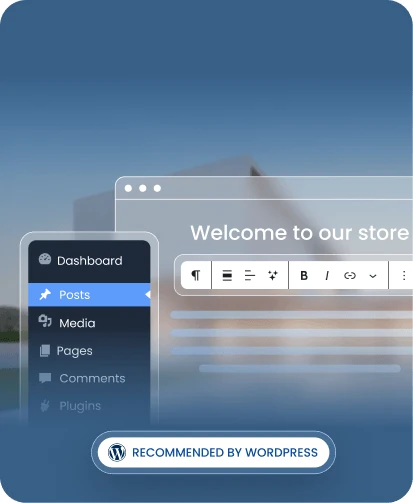
Our take on Bluehost
The honest case for Bluehost is the total cost, not the headline. A single site costs $1.99 a month for the first 36 months and $8.99 after; the ten-site Starter plan is $3.99 then $9.99. Those renewals undercut both Hostinger on like-for-like tiers and SiteGround by a wide margin, which is why Bluehost keeps winning the budget comparison even after the intro offer ends.
The trade-off is that Bluehost is shared hosting, not managed hosting. Backups are weekly rather than daily, and phone support only starts on the Business plan. Every plan now includes a one-click WordPress staging site, so that old knock no longer holds. A site that earns money should weigh the remaining gaps against the saving — and read the SiteGround comparison before deciding the saving is worth it.
What to investigate it for
Website builders- Launch a first WordPress website without managing a server
- Host a small business site, blog or portfolio on a budget
- Move an existing WordPress site in with the free migration tool
- Sell online with WooCommerce pre-installed on the eCommerce plan
- Build a site quickly with the WordPress AI Builder
A useful evaluation scenario
Register a domain, install WordPress in one click, pick one of the three AI Builder previews, publish a simple five-page business site, then move it to the live domain and test the contact form, the SSL certificate and the backup restore. Price the renewal shown at checkout before committing to the 36-month term.
Use this as a trial or demonstration brief. It describes a task to evaluate, not a result we have measured.
Who Bluehost may suit
First-time site owners, bloggers and small businesses that want WordPress hosting with a low entry price, a free domain for the first year and setup help included.
Reasons to shortlist it
- Lowest entry price of the mainstream WordPress hosts: $1.99 a month for a single site on the long term.
- Renewals stay low: Starter renews at $9.99 and Business at $13.99, below Hostinger on comparable tiers.
- Free domain for the first year, free SSL and CDN on every plan.
- Free WordPress migration with zero downtime, up to five sites free in the first 30 days.
- WordPress.org recommended since 2005, with WordPress pre-installed and managed updates.
- WordPress AI Builder included on every plan, plus Yoast SEO pre-installed.
Trade-offs to investigate
- Weekly backups only; no daily automated backups on any plan.
- Phone support is not included on the One Site or Starter plans — chat only until Business.
- Intro prices need a 36-month first term; shorter terms cost more per month.
- Shared hosting resources: a site that outgrows its tier slows down rather than scaling automatically.
Explore it by business
These are provisional workflow matches. Your required plan, country and operating process determine the fit.
PlumbingElectrical contractorsHVACAccountantsBookkeepersCleaning companiesConsultantsMarketing agenciesCompare Bluehost before you commit.
These pages target the decisions people make around Bluehost: WordPress hosting, the budget rival and the managed alternative.
Bluehost pricing and total cost
- Entry pricing snapshot
- One Site $1.99/month for a 36-month term, renewing at $8.99; Starter $3.99/month, renewing at $9.99; Business Essentials $6.99/month, renewing at $13.99; eCommerce Essentials $14.99/month, renewing at $21.99 (US snapshot, 5 November 2026)
- Trial or free-plan snapshot
- 30-day money-back guarantee on hosting; no free plan
- Important pricing notes
- Introductory prices apply to the first term only (36 months on the headline rates) and renewals are roughly 2 to 4.5 times higher. The $1.99 rate is the single-site One Site plan; phone support starts on Business Essentials, not Starter. Confirm the figures shown at checkout.
- Pricing research date
- 2026-11-05 · US edition where specified
Build the quote around the workflow in this guide. Include the required plan, staff or usage allowances, essential extras, implementation and the cost after any introductory offer. Avoid adding starting prices from incompatible editions into an artificial stack total.
Confirm the current offering with the vendor ↗Alternatives to Bluehost
These are different shortlist options, not a ranked list of interchangeable replacements. Compare the job you need done before comparing subscriptions.
 ShopifyConsider when the website is really an online store and checkout, inventory and POS matter more than WordPress.
 WixCompare when you want an all-in-one builder with hosting included and no WordPress maintenance at all.
 SquarespaceCompare when design-led templates and a simpler all-in-one setup matter more than WordPress flexibility.
What to ask before choosing Bluehost
- Build the real site on the plan you would buy, not a demo: one homepage, one service page, one contact form.
- Run the AI Builder, then edit the result by hand — check whether the output is usable or needs rebuilding.
- Test the free migration on a real site if you are switching hosts, and time it.
- Check the renewal price shown at checkout and work out the three-year total before paying.
- Contact support once by chat at an awkward hour and judge the answer, not the greeting.
Agree the pass conditions before the demonstration: the people who need access, the records that must move and the manual steps you want to remove. Request written confirmation of capabilities or commercial terms that affect your decision.
Who makes Bluehost?
Vendor / product provider: Bluehost Inc. (Newfold Digital). Related vendor products and differently priced editions should be evaluated individually.
Research sources
- Official product website ↗Product research reviewed 5 November 2026
- Official pricing source ↗public · 2026-11-05
- Official pricing source ↗public · 2026-11-05
Feature scope can change. We distinguish vendor information, our interpretation and proposed trial tasks. Read our editorial methodology and affiliate disclosure.